
Keep every exterior edge in frame
A clean listing needs complete mirrors, roof rails, bumpers, and tires. Use Fit first; Fill can crop the exact parts buyers inspect.
Consistent vehicle listing frames
Remove the surroundings, keep mirrors and tires in frame, choose the listing ratio and stage, then add an optional ground shadow and dealer mark.

Vehicle preparation
Use a clear three-quarter or side view with all wheels visible. Removal runs once; stage, framing, shadow, and dealer mark render locally.
Live output pixels
Check mirrors, wheel gaps, windows, roof rails, and the contact line under every tire. A browser-drawn ground shadow adds separation but cannot reconstruct a missing wheel or reflection.
Choose a recent background-removal result and apply this workflow’s crop, position, and surface without running removal again.
No recent cutout is available yet.
Canvas, padding, background, ground shadow, and dealer mark are deterministic browser composition. They make a set more consistent without another AI call. They cannot reconstruct a cropped mirror, correct a distorted wheel, remove reflections already inside glass, or invent an unseen side of the car.
A clean listing needs complete mirrors, roof rails, bumpers, and tires. Use Fit first; Fill can crop the exact parts buyers inspect.
Background removal separates the car silhouette, but windows and chrome still contain photographed reflections. Inspect them on the final stage.
The optional ground shadow is browser-drawn. It anchors the cutout visually but is not a recovered real-world shadow.
SOURCE → CUTOUT
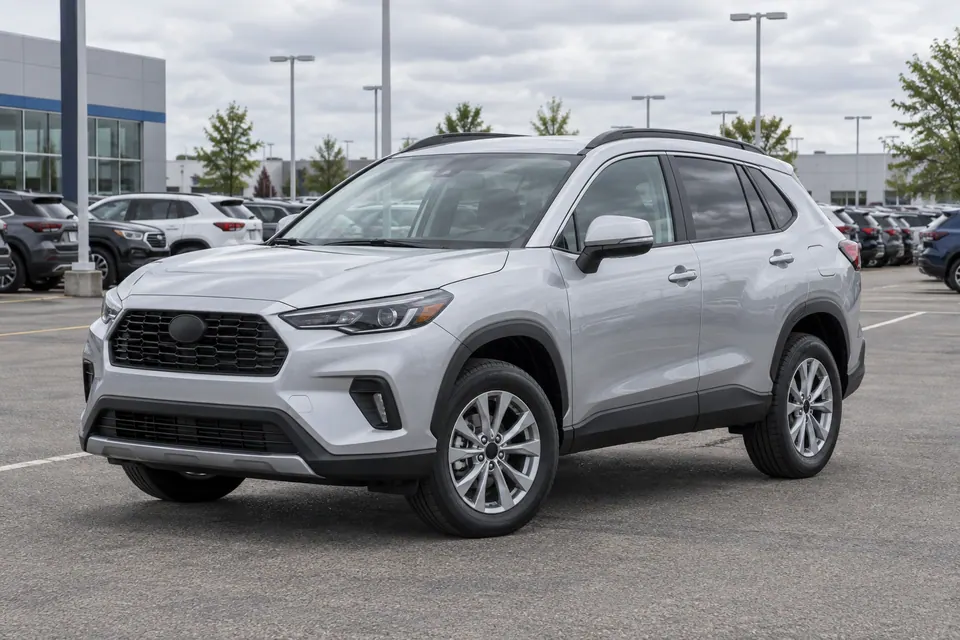
Mirrors, roof rails, tires, and the silhouette remain in this example. The old lot can still appear inside windows and chrome, and a pale edge may show on a dark stage. Refine those areas before applying the same frame to the inventory set.
UP TO 20 VEHICLES
The same ratio, scale, position, padding, stage, shadow, dealer mark, and format applies to the set. Finished vehicles remain downloadable when another row fails; retry starts from the last saved step.
Inventory batch
Add up to 20 vehicle photos. Each source gets an independent removal status; the whole set uses one locked listing frame.
Per-image inspection
0 vehicles · 0 ready · 0 failed
If framing or saving fails after the background is removed, Retry continues from the saved cutout instead of removing the background again. If this device cannot build the full ZIP safely, download finished vehicles one at a time or split the set into smaller batches.