Results, not a score

Background removal quality test: inspect the pixels yourself.

14 source images were run through the current Stable Diffusion AI background-removal product. Each case shows the untouched source, the actual transparent PNG, and that same PNG over white and dark surfaces.
14 tested casesNo invented or retouched outputs

The live removal toolThe same remover you can use on your own image

Verified 2026-09-25Coverage gaps stay visible

How to read this test

A good cutout survives the destination surface.

Start with the source

Look for similar colors, narrow gaps, reflections, soft edges, and where the subject touches the ground.

Open the PNG

Checkerboard exposes transparency, but it can hide pale halos and dark edge contamination.

Change the surface

White and dark previews reveal edge spill without changing the actual result pixels.

CASE 01

Curly hair portrait

Dense curls and small exterior loops against a natural background.

  • Inspect: Outer curl continuity
  • Inspect: Background color trapped between curls
  • Inspect: Face, shoulder, and clothing boundaries
Source portrait with curly hair before background removal
Source ↗
Actual transparent cutout of the curly hair portrait
Transparent PNG ↗
Curly hair portrait cutout on white
White preview
Curly hair portrait cutout on dark gray
Dark preview

CASE 02

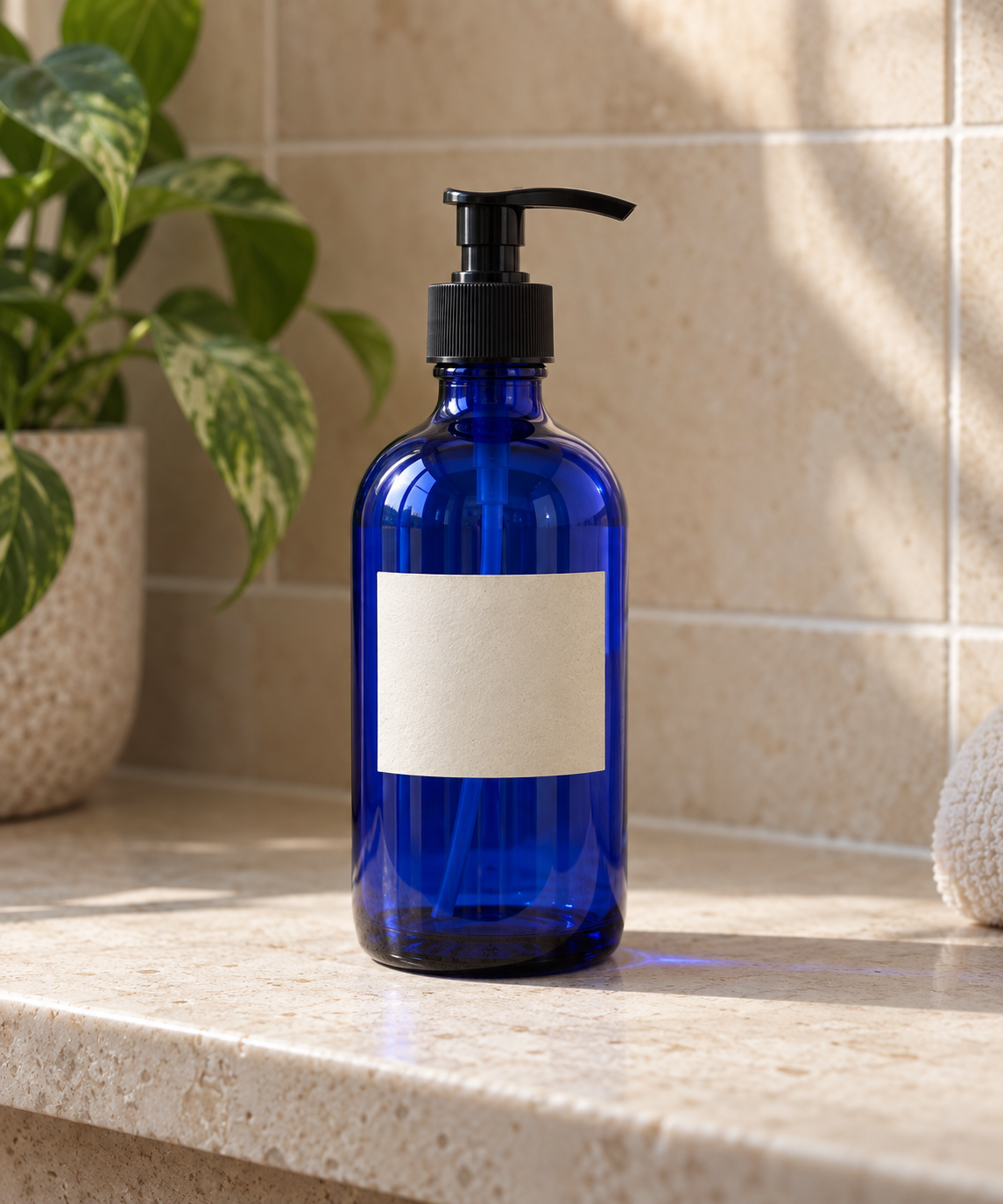
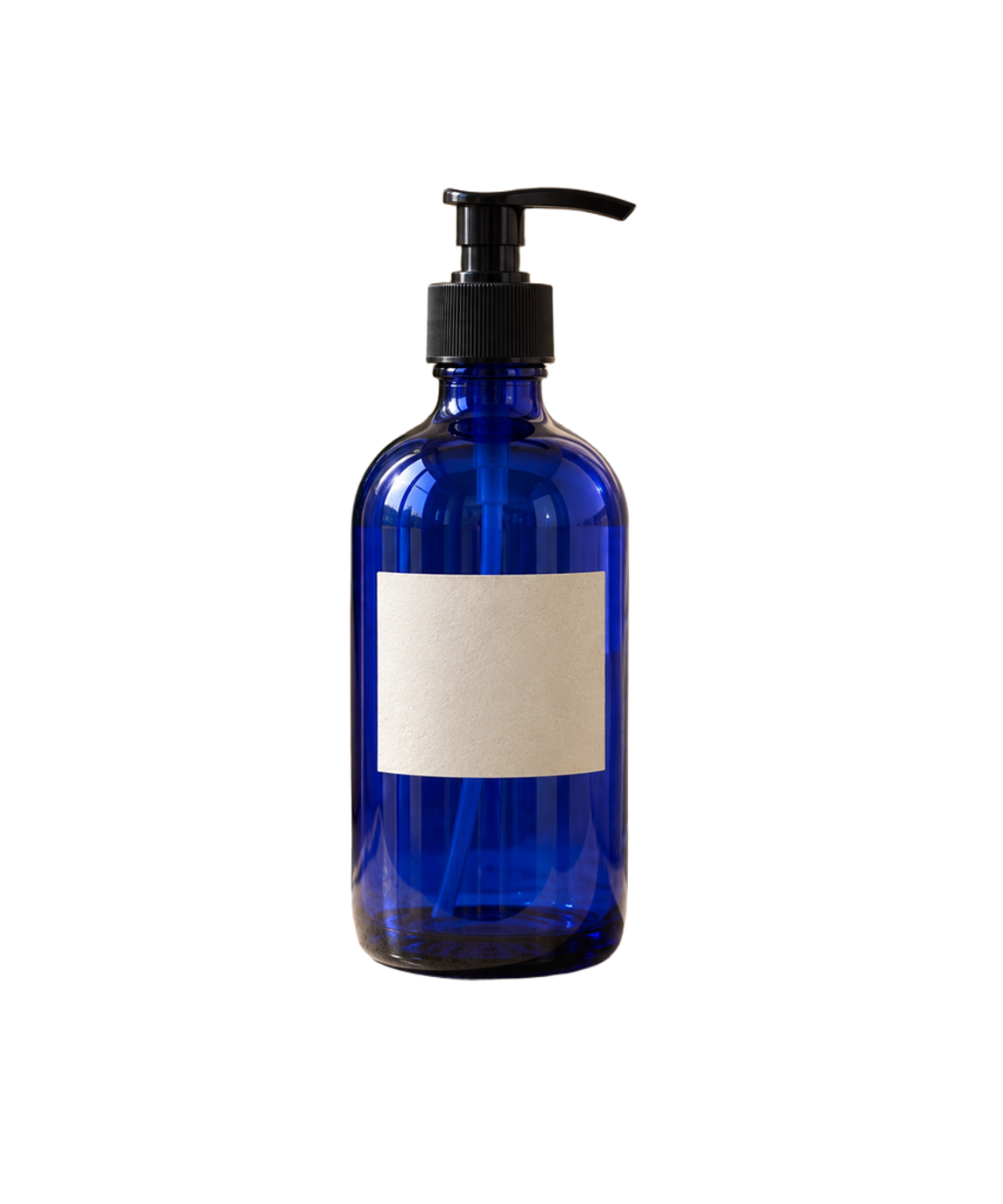
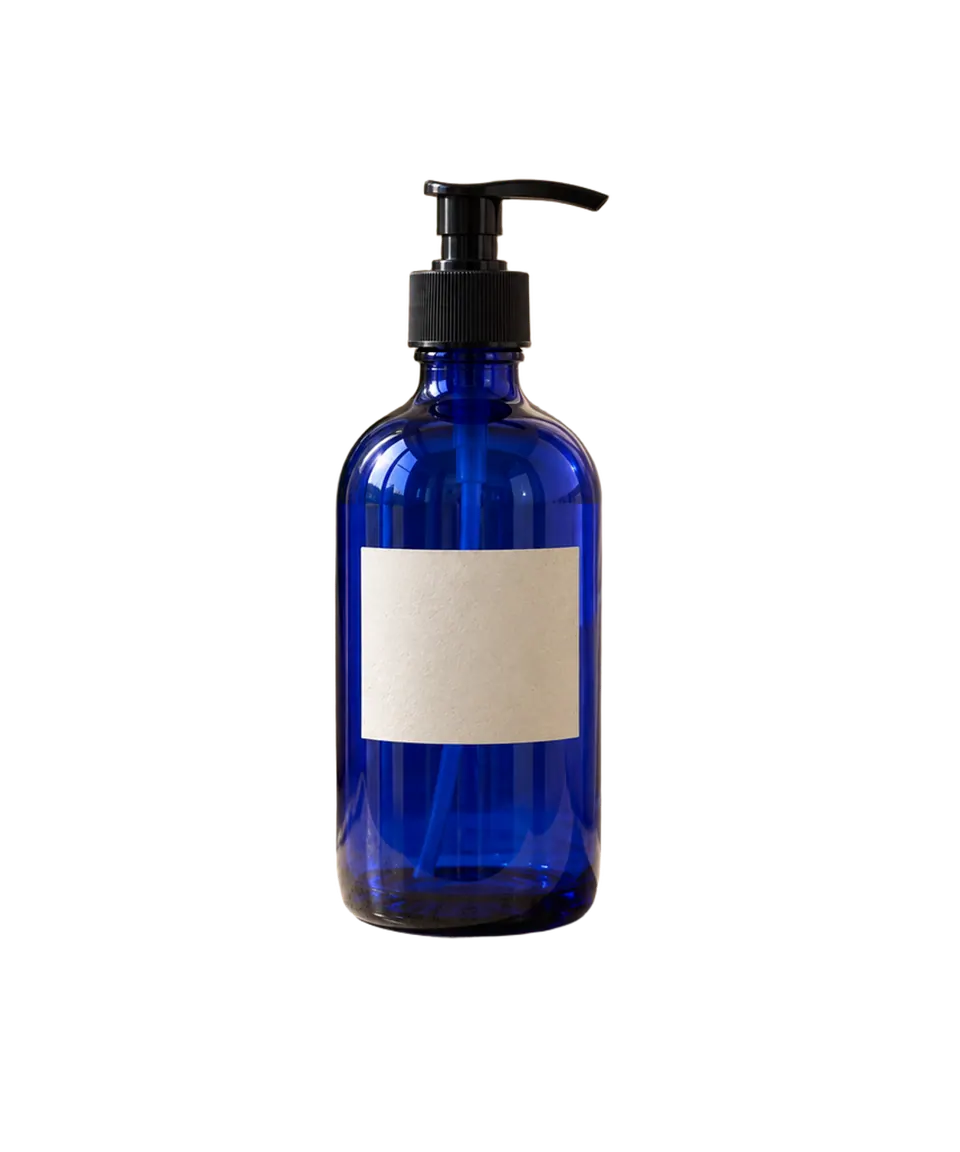
Reflective product bottle

A glossy blue bottle with highlights and a hard product silhouette.

  • Inspect: Cap and shoulder silhouette
  • Inspect: Reflection preservation
  • Inspect: Halo or color spill along both sides
Source photo of a blue product bottle before background removal
Source ↗
Actual transparent cutout of the blue product bottle
Transparent PNG ↗
Reflective product bottle cutout on white
White preview
Reflective product bottle cutout on dark gray
Dark preview

CASE 03

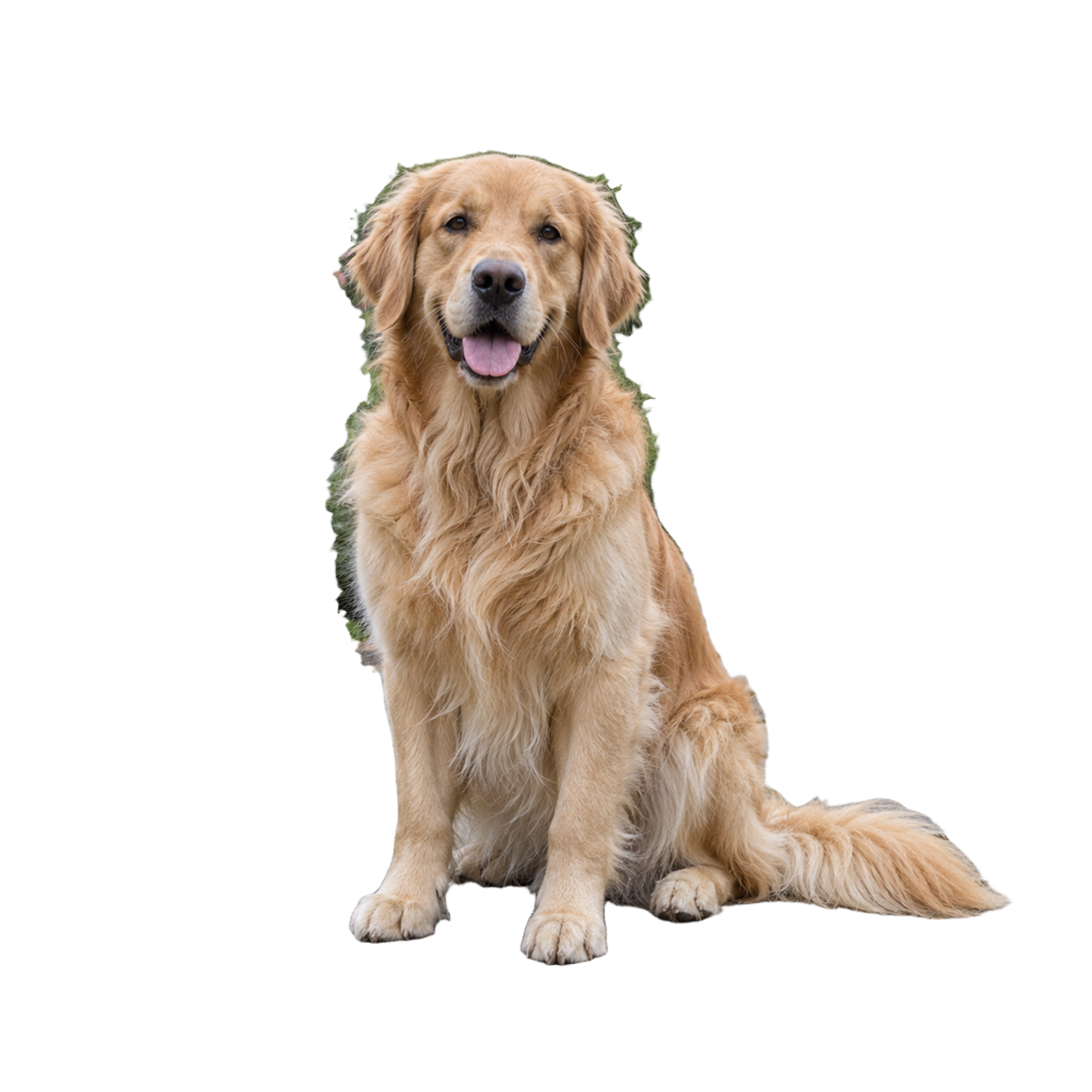
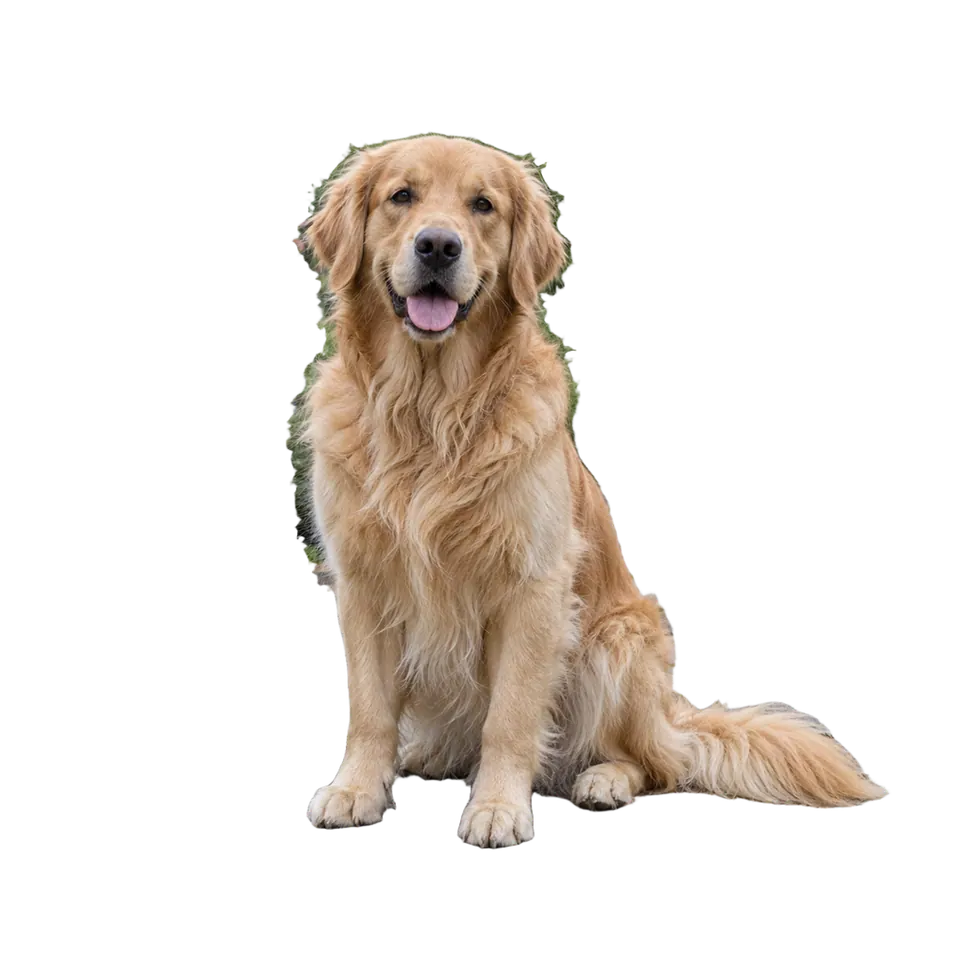
Pet fur in a garden

Fine fur against a detailed outdoor background.

  • Inspect: Fine fur around ears and body
  • Inspect: Green spill from foliage
  • Inspect: Ground contact and paws
Source pet photograph in a garden before background removal
Source ↗
Actual transparent cutout of the pet
Transparent PNG ↗
Pet fur in a garden cutout on white
White preview
Pet fur in a garden cutout on dark gray
Dark preview

CASE 04

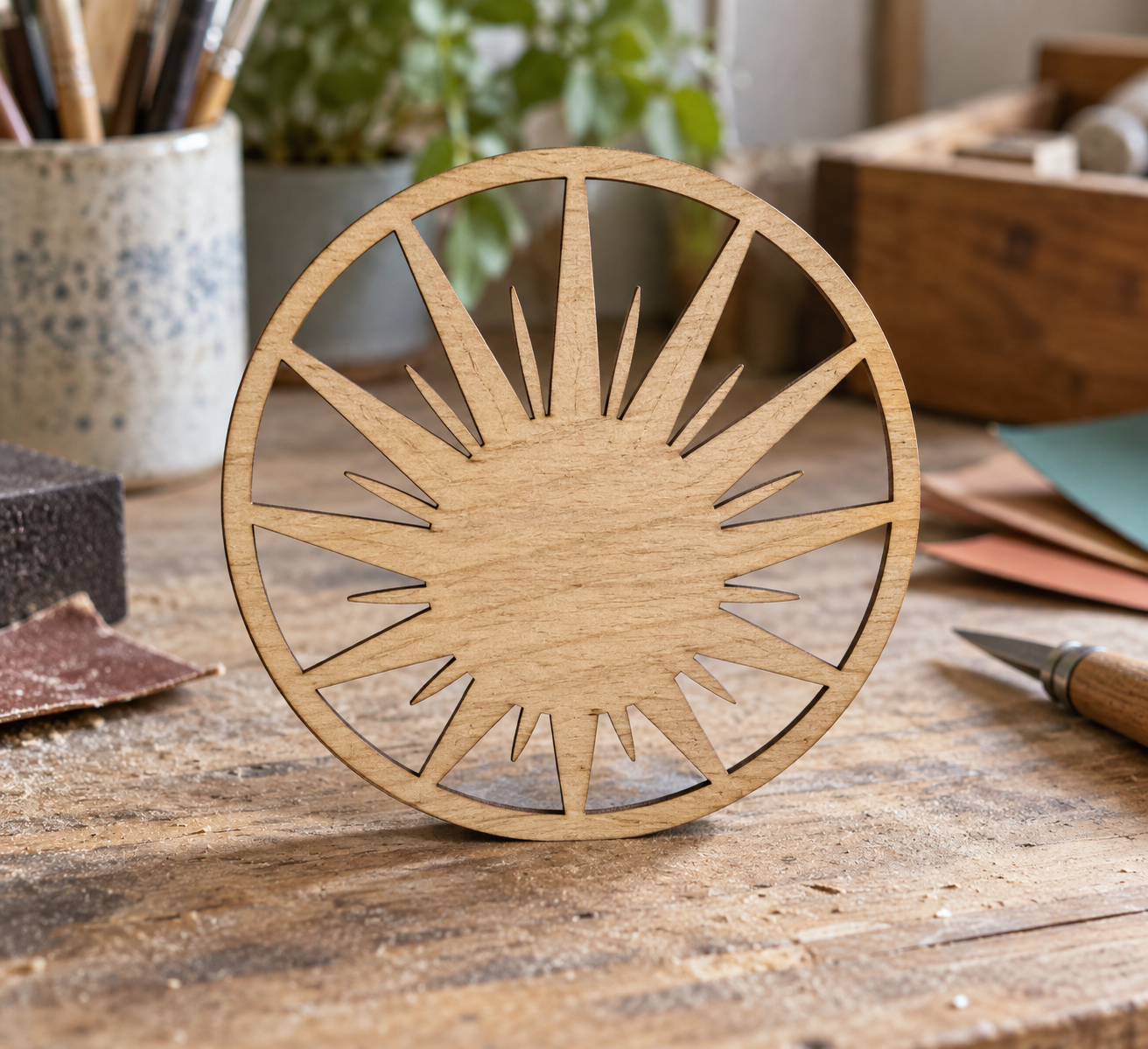
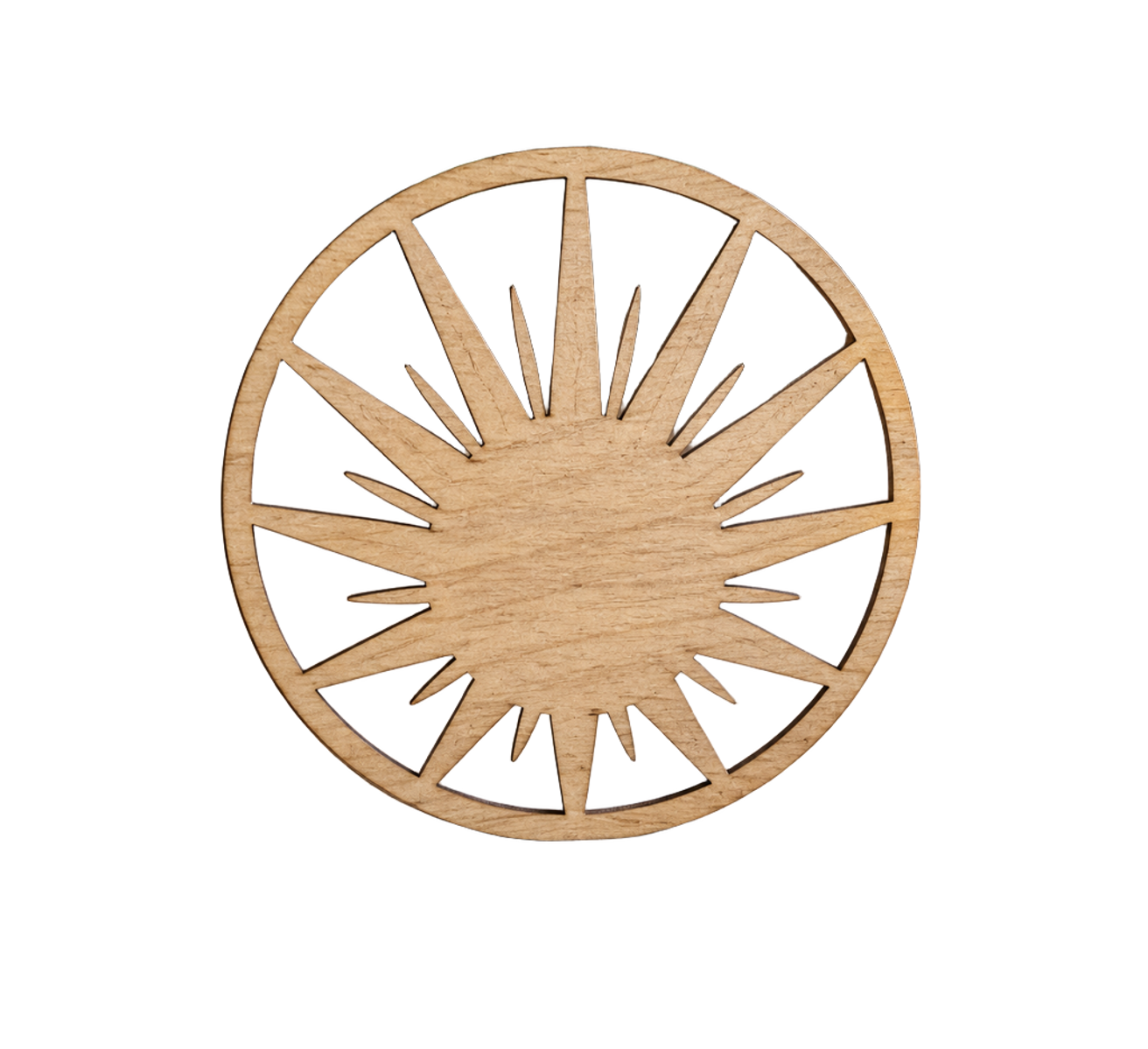
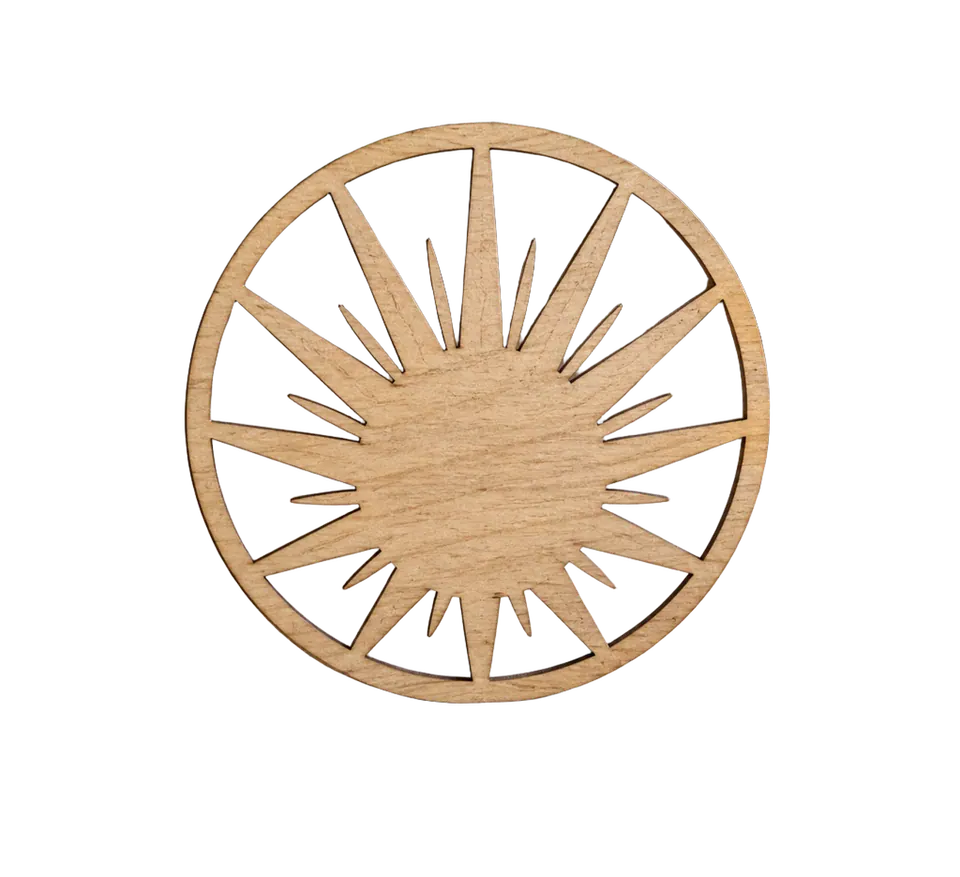
Object with thin radial details

A wooden sunburst object with narrow rays and interior gaps.

  • Inspect: Thin ray continuity
  • Inspect: Transparency inside narrow gaps
  • Inspect: False background fragments near the center
Source photo of a wooden sunburst object before background removal
Source ↗
Actual transparent cutout of the wooden sunburst object
Transparent PNG ↗
Object with thin radial details cutout on white
White preview
Object with thin radial details cutout on dark gray
Dark preview

CASE 06

Reflective car in a dealership lot

A metallic SUV with mirrors, roof rails, wheel gaps, glass, reflections, and ground contact against a busy lot.

  • Inspect: Mirror, roof-rail, and antenna silhouette
  • Inspect: Wheel gaps and tire contact edges
  • Inspect: Lot residue in glass reflections and pale halo on bodywork
Source image of an unbranded silver SUV in a dealership lot
Source ↗
Actual transparent cutout of the silver SUV
Transparent PNG ↗
Reflective car in a dealership lot cutout on white
White preview
Reflective car in a dealership lot cutout on dark gray
Dark preview

CASE 07

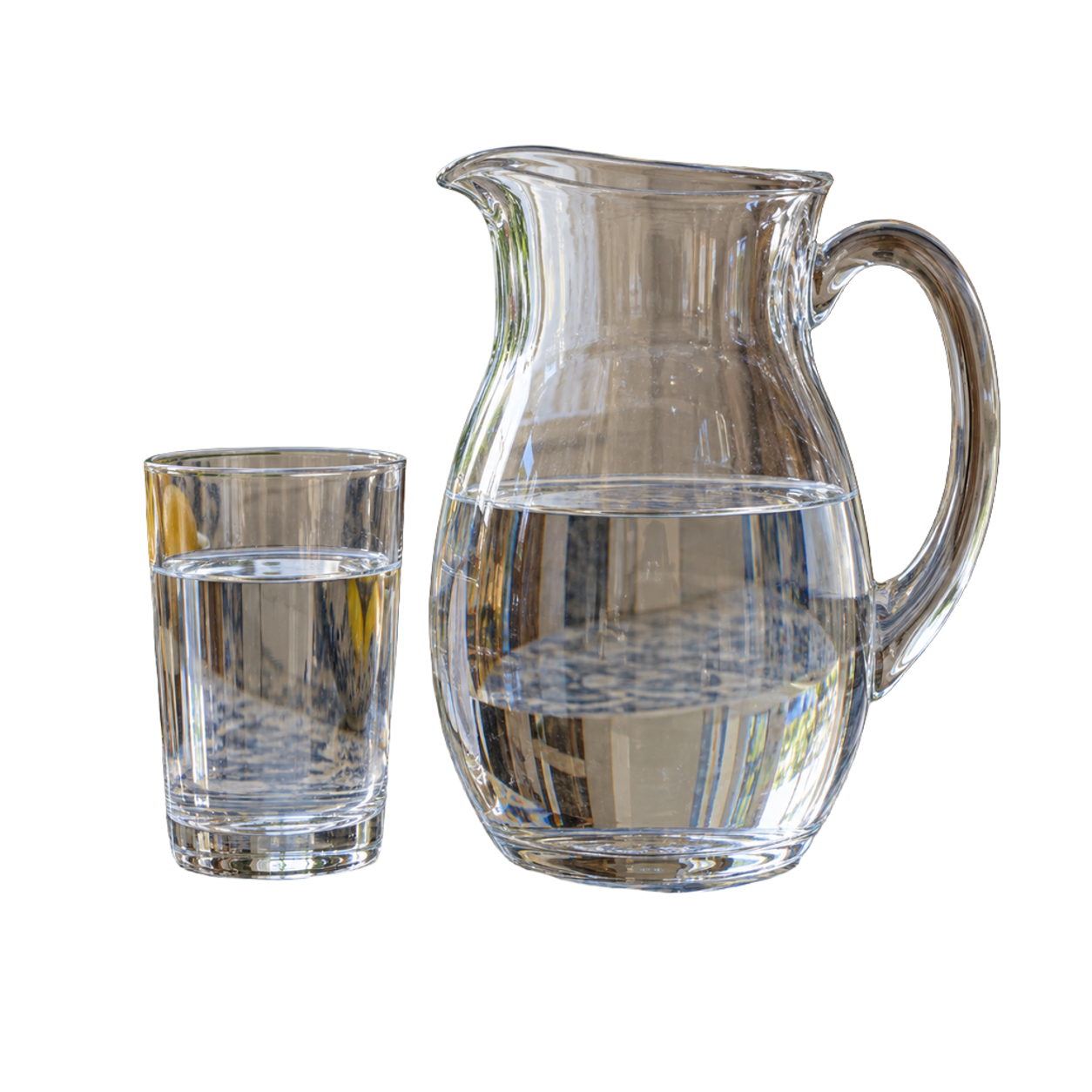
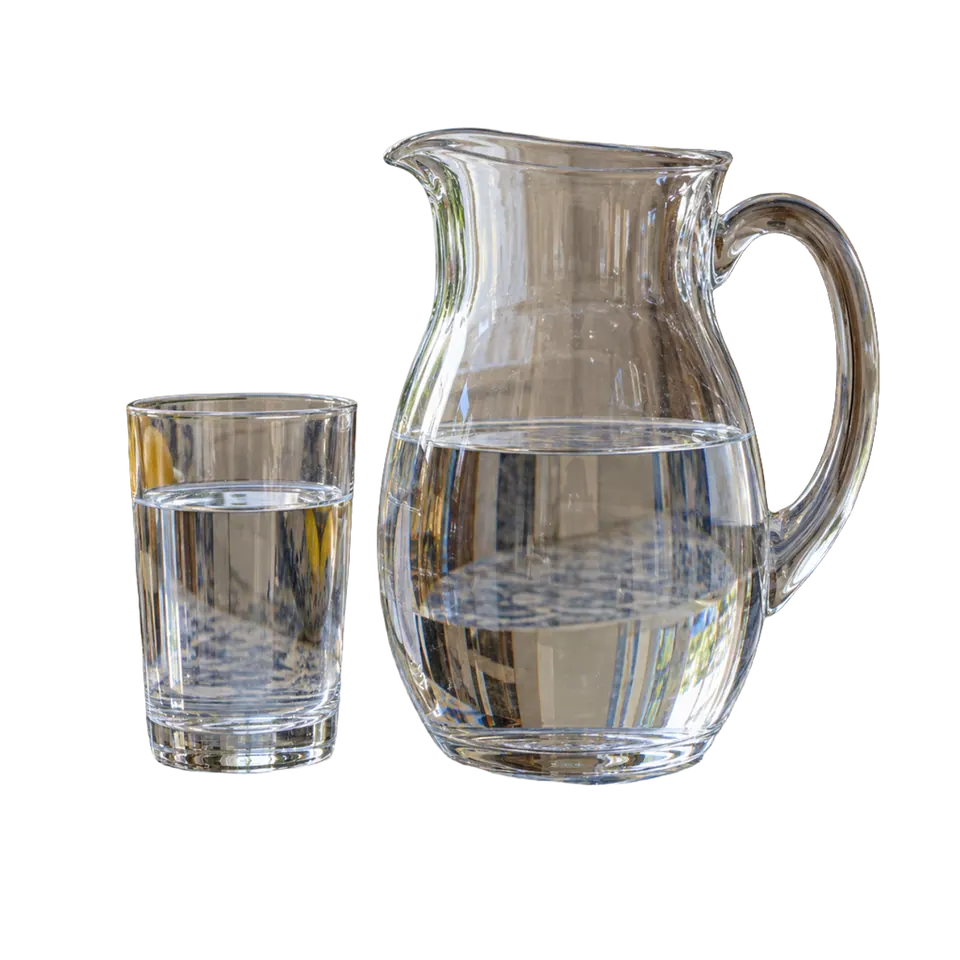
Clear glass and water

A clear pitcher and tumbler whose photographed background remains visible through transparent material and water.

  • Inspect: Handle and rim continuity
  • Inspect: Old-scene detail retained inside glass and water
  • Inspect: Bright fringe around transparent edges
Source photo of a clear glass pitcher and tumbler before background removal
Source ↗
Actual transparent cutout of the clear pitcher and tumbler
Transparent PNG ↗
Clear glass and water cutout on white
White preview
Clear glass and water cutout on dark gray
Dark preview

CASE 08

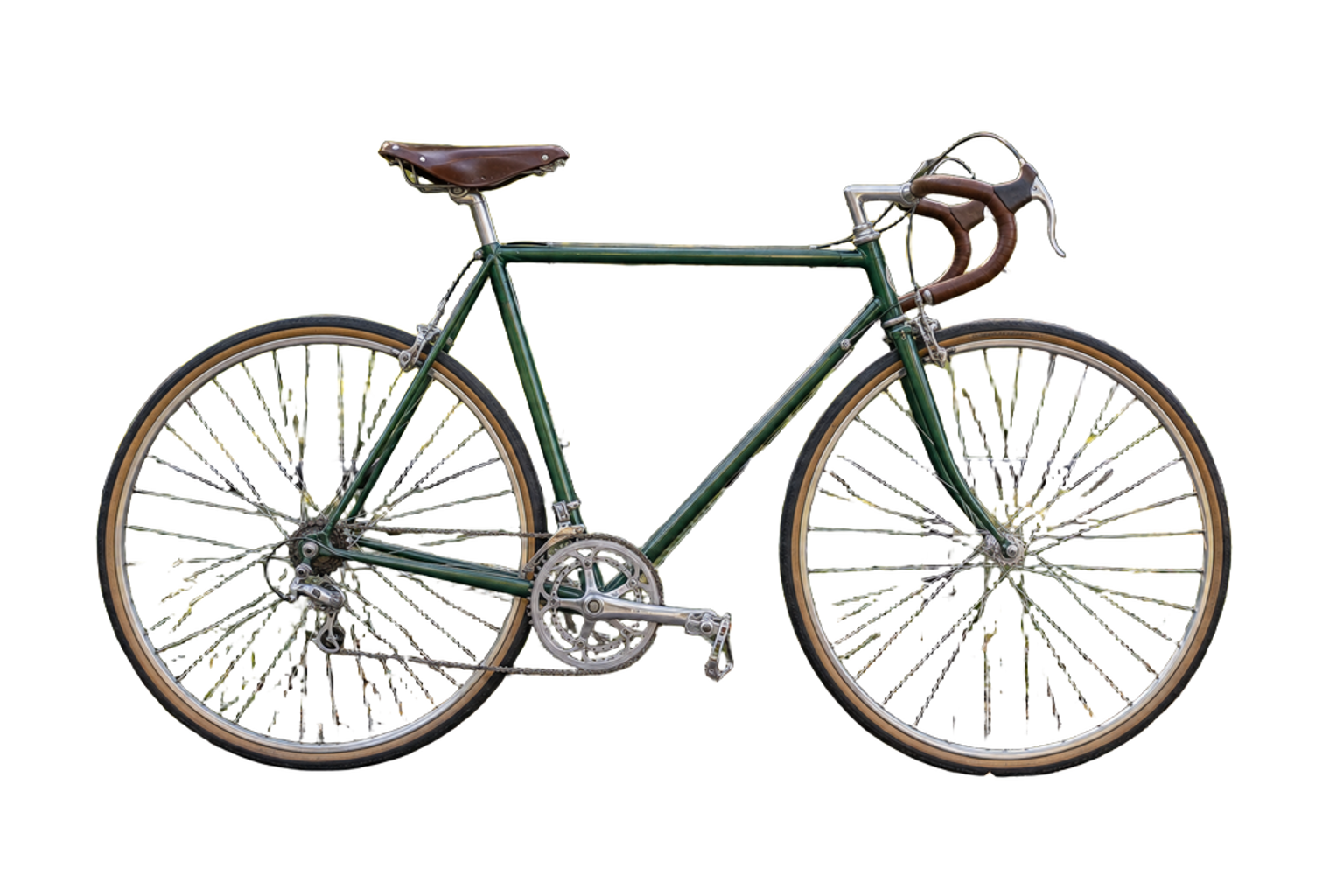
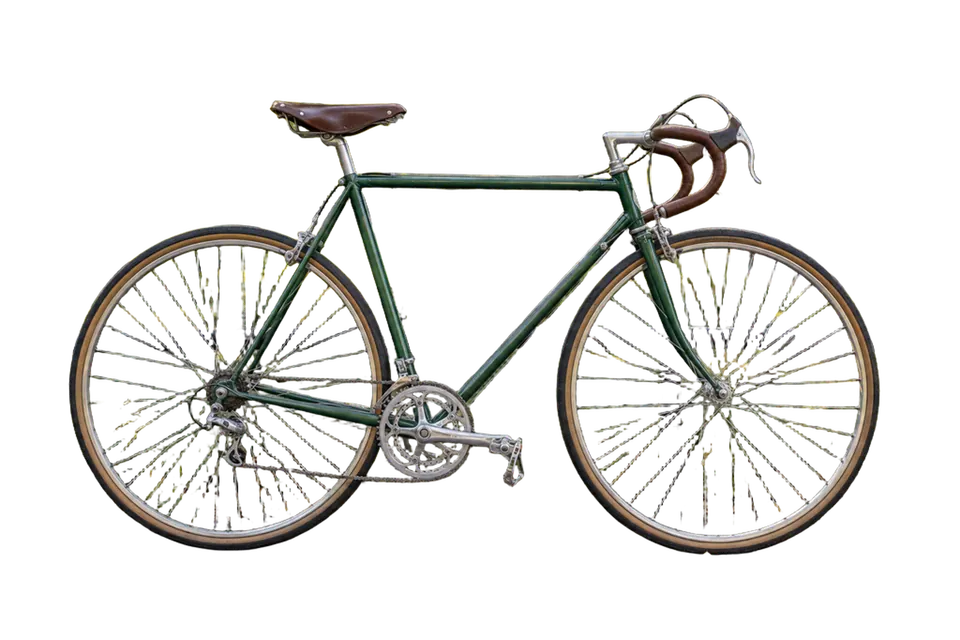
Bicycle spokes and cables

Thin spokes, brake cables, drivetrain gaps, and two large open wheel interiors against foliage.

  • Inspect: Spoke and cable continuity
  • Inspect: Green or yellow residue inside wheel gaps
  • Inspect: Fine drivetrain detail near the rear hub
Source photograph of a road bicycle before background removal
Source ↗
Actual transparent cutout of the road bicycle
Transparent PNG ↗
Bicycle spokes and cables cutout on white
White preview
Bicycle spokes and cables cutout on dark gray
Dark preview

CASE 09

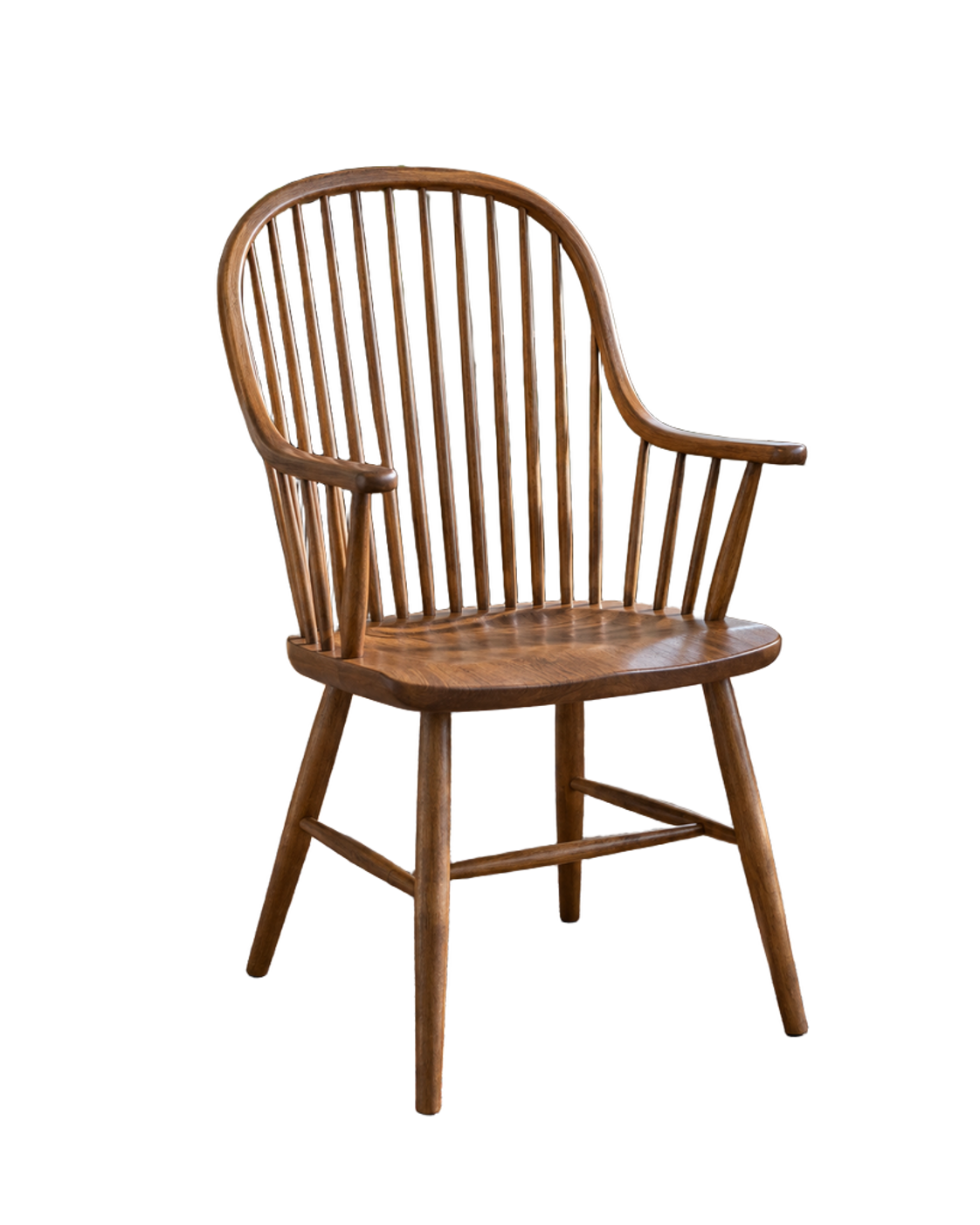
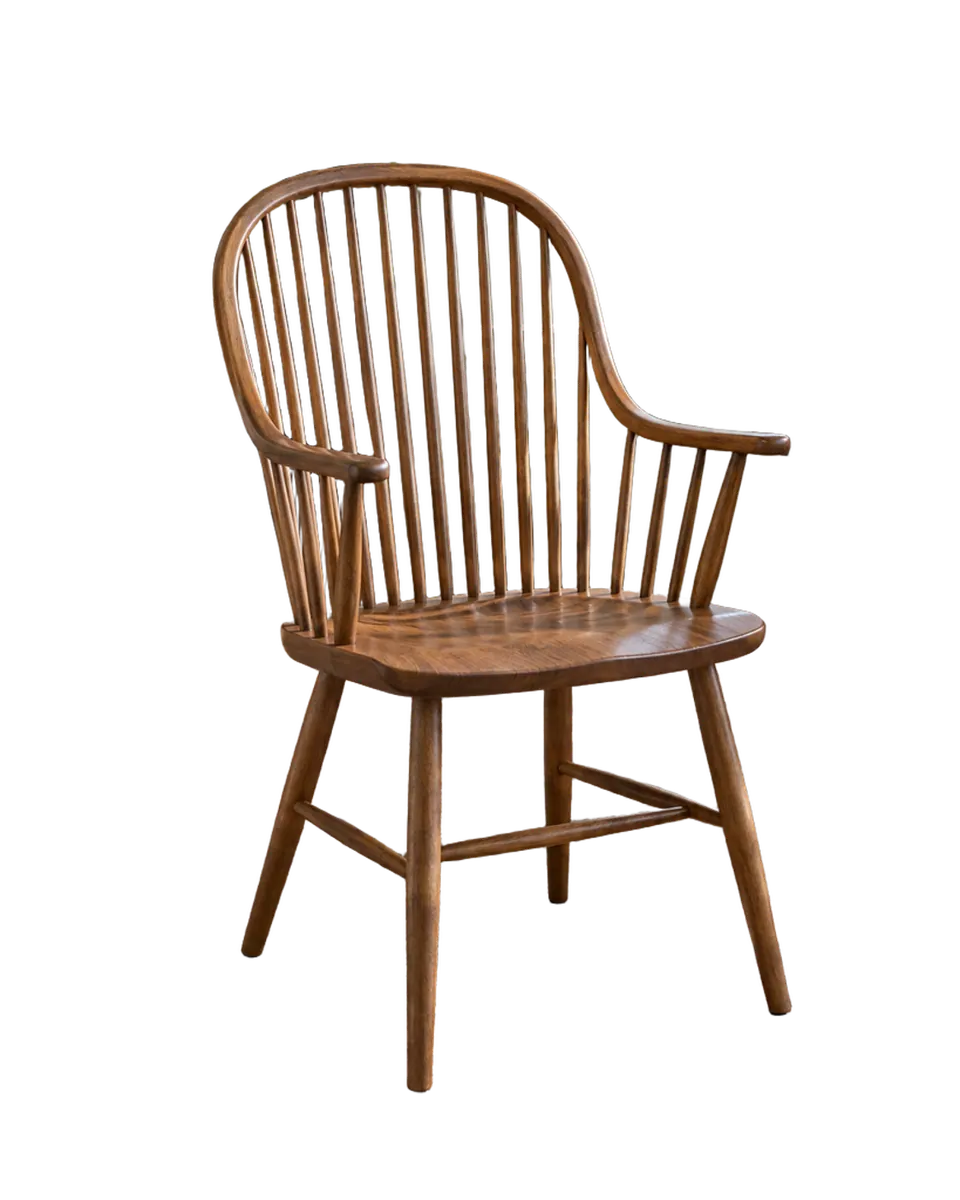
Chair with narrow spindle gaps

A wooden chair with many repeated openings, curved rails, and floor-contact legs.

  • Inspect: Transparency between every spindle
  • Inspect: Interior edge residue along dark gaps
  • Inspect: Complete feet and support rails
Source photo of a wooden spindle chair before background removal
Source ↗
Actual transparent cutout of the wooden spindle chair
Transparent PNG ↗
Chair with narrow spindle gaps cutout on white
White preview
Chair with narrow spindle gaps cutout on dark gray
Dark preview

CASE 010

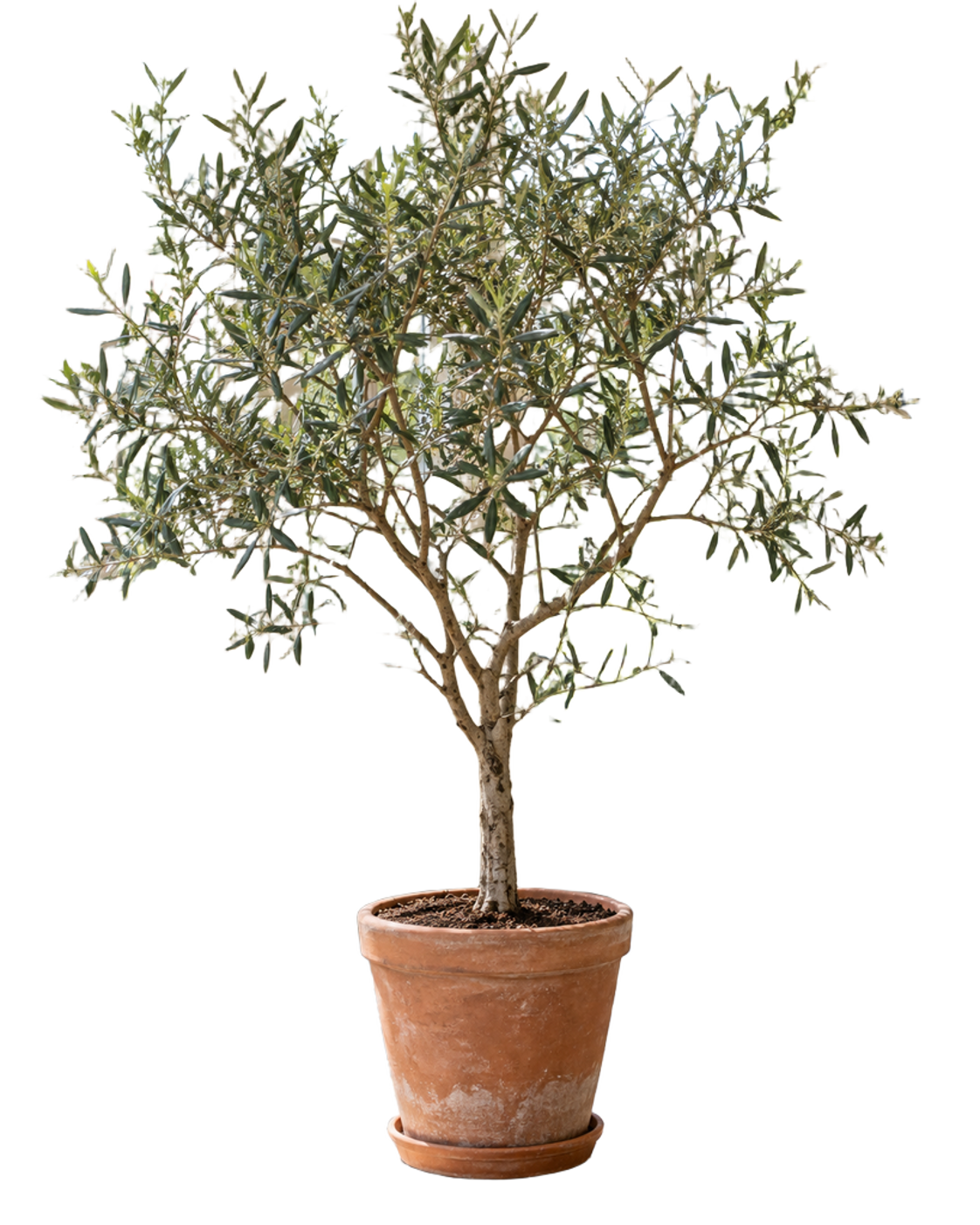
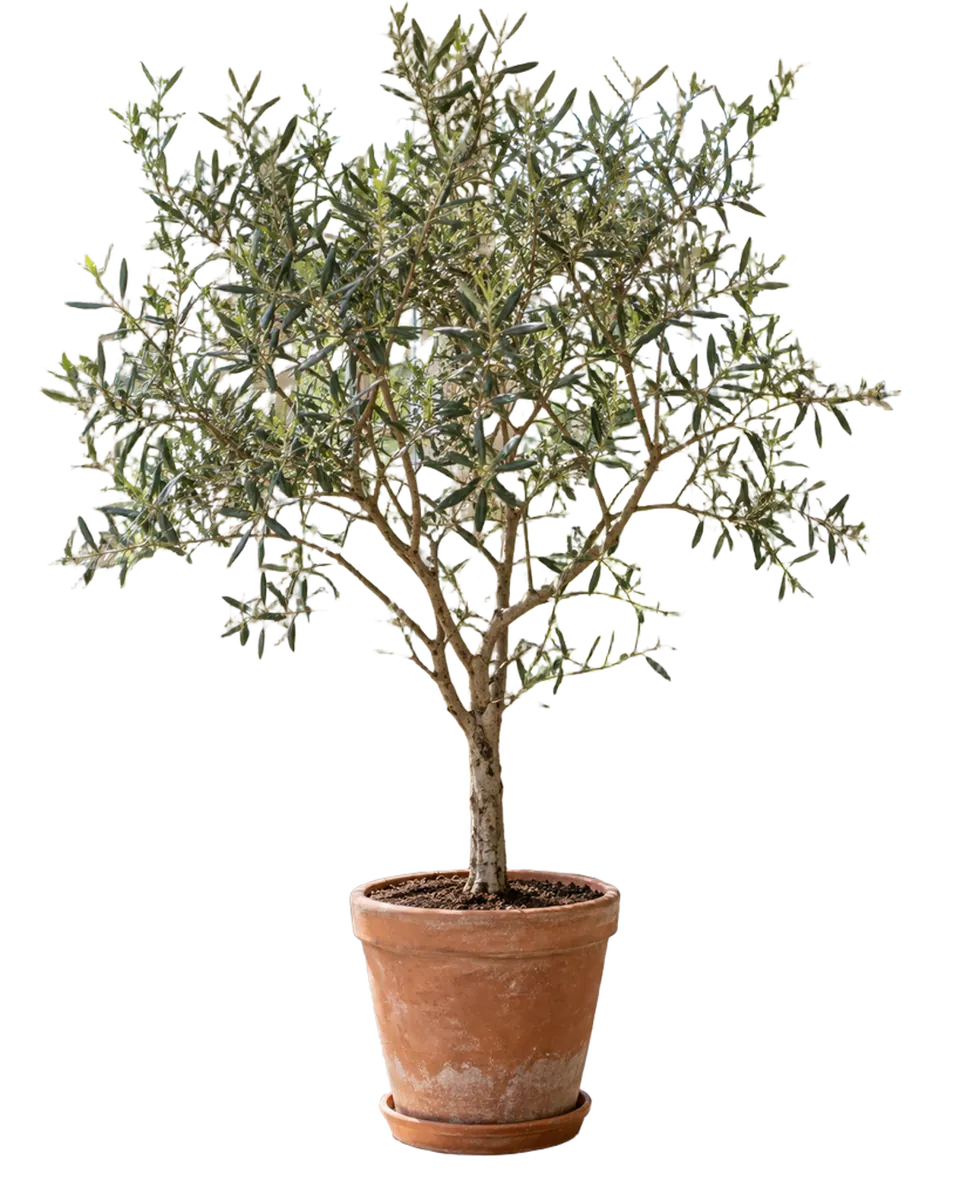
Plant with overlapping leaves

Hundreds of narrow leaves and branches create dense exterior detail and many small interior gaps.

  • Inspect: Leaf-tip continuity
  • Inspect: Small holes inside dense foliage
  • Inspect: Pale or green fringe around branches
Source photograph of a potted olive tree before background removal
Source ↗
Actual transparent cutout of the potted olive tree
Transparent PNG ↗
Plant with overlapping leaves cutout on white
White preview
Plant with overlapping leaves cutout on dark gray
Dark preview

CASE 011

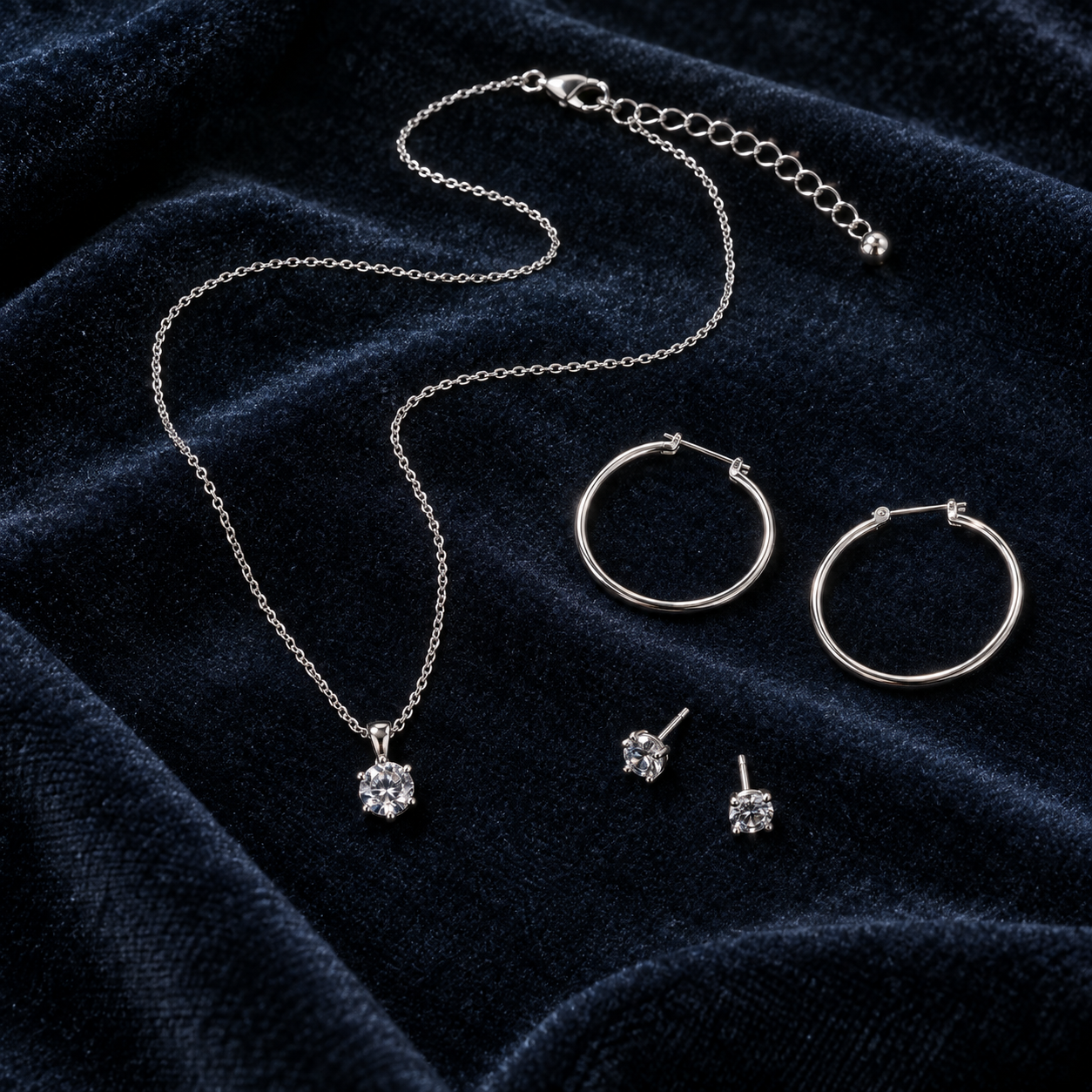
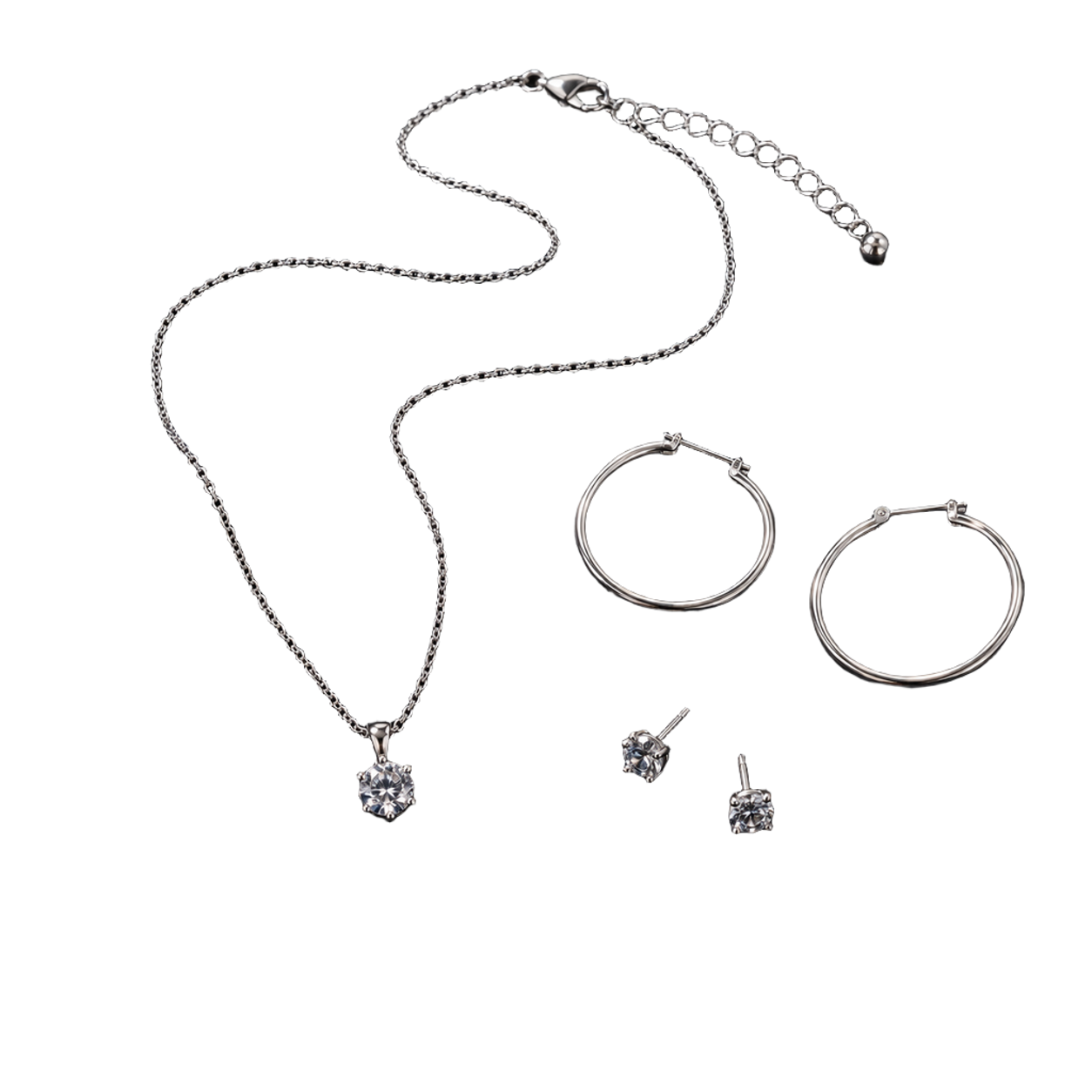
Jewelry chain and open hoops

A fine necklace chain, clasp, small stones, and circular earrings on a textured surface.

  • Inspect: Continuity of the finest chain links
  • Inspect: Open earring interiors
  • Inspect: Missing or merged pixels around small stones and clasps
Source photograph of silver jewelry before background removal
Source ↗
Actual transparent cutout of the silver jewelry set
Transparent PNG ↗
Jewelry chain and open hoops cutout on white
White preview
Jewelry chain and open hoops cutout on dark gray
Dark preview

CASE 012

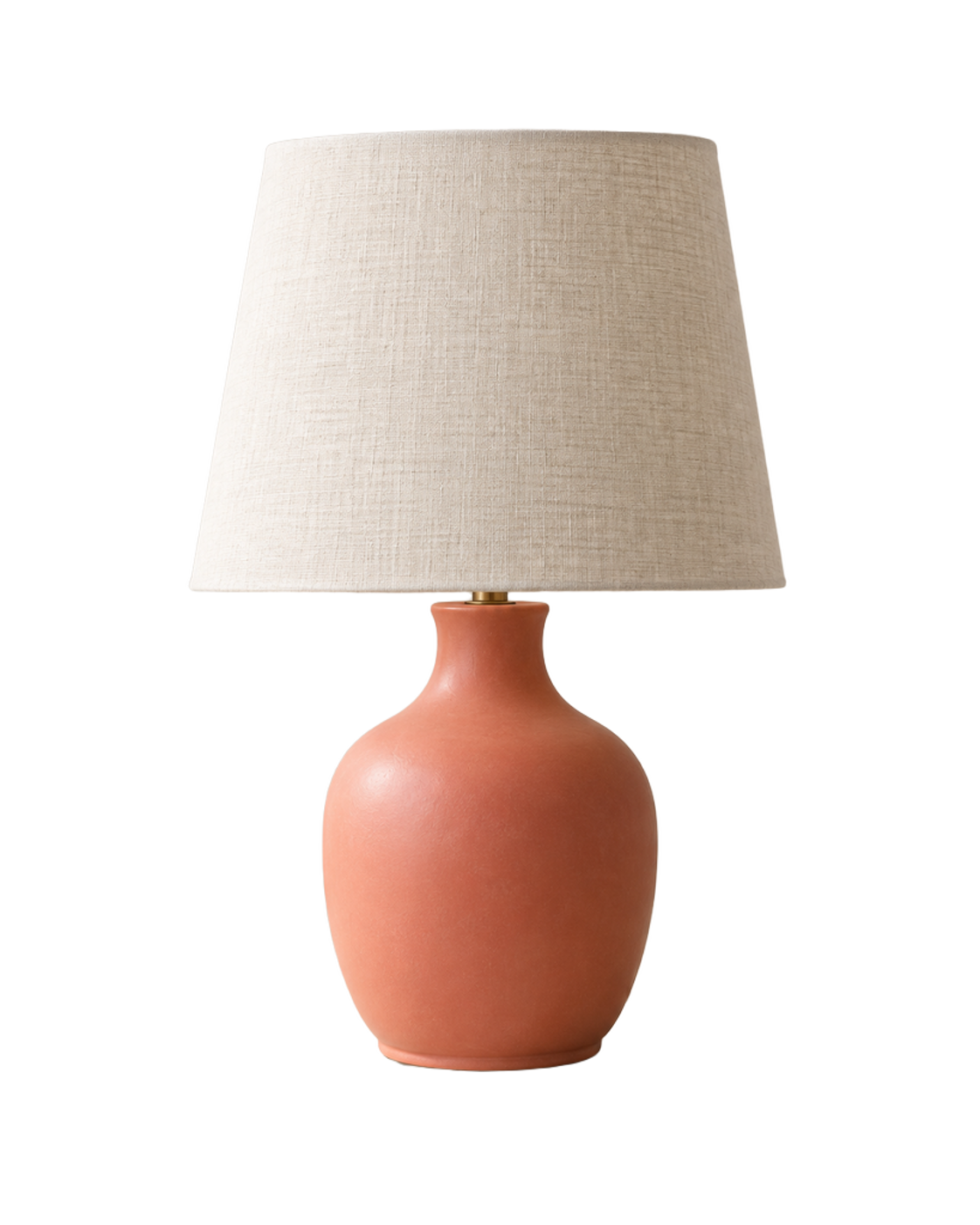
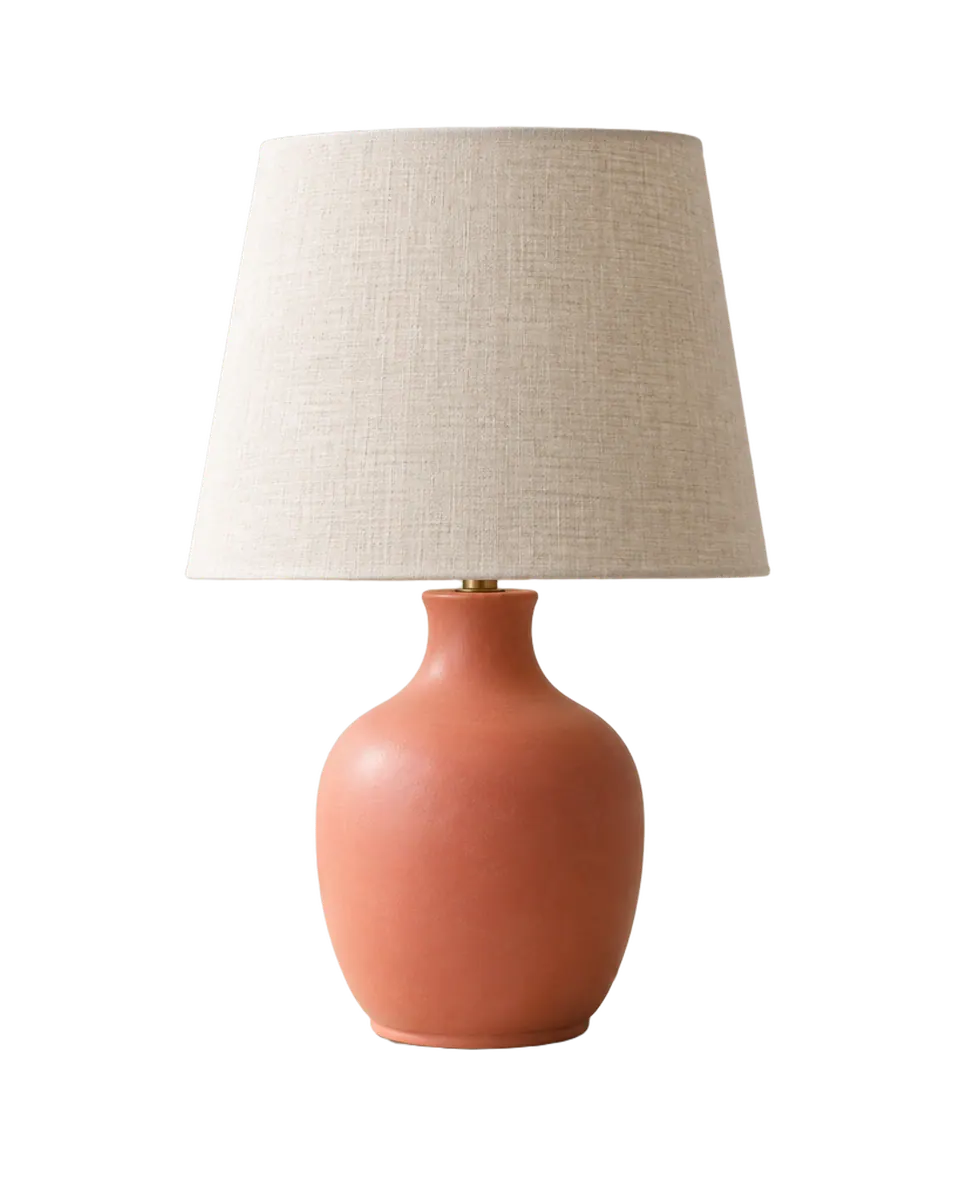
Product with a real soft shadow

A ceramic lamp with a fabric shade, power cord, tabletop contact, and a soft photographed cast shadow.

  • Inspect: Fabric shade edge and ceramic silhouette
  • Inspect: Whether the thin power cord survives
  • Inspect: Loss of the photographed soft shadow and contact context
Source product photo of a ceramic lamp and soft cast shadow before background removal
Source ↗
Actual transparent cutout of the ceramic lamp
Transparent PNG ↗
Product with a real soft shadow cutout on white
White preview
Product with a real soft shadow cutout on dark gray
Dark preview

CASE 013

Straight hair and loose wisps

Long dark hair with narrow gaps, isolated strands, and similar dark tones in the original scene.

  • Inspect: Single-strand continuity near cheeks and shoulders
  • Inspect: Dark-scene contamination in hair gaps
  • Inspect: Shoulder and sweater boundary
Source portrait with long straight hair before background removal
Source ↗
Actual transparent cutout of the straight-hair portrait
Transparent PNG ↗
Straight hair and loose wisps cutout on white
White preview
Straight hair and loose wisps cutout on dark gray
Dark preview

CASE 014

Backlit flyaway hair

Warm backlight makes dozens of translucent flyaways and curls brighter than the busy park behind them.

  • Inspect: Outer flyaway continuity
  • Inspect: Warm rim-light fringe on dark and white surfaces
  • Inspect: Small transparent gaps between curls
Source outdoor portrait with backlit flyaway hair before background removal
Source ↗
Actual transparent cutout of the backlit flyaway portrait
Transparent PNG ↗
Backlit flyaway hair cutout on white
White preview
Backlit flyaway hair cutout on dark gray
Dark preview

Coverage boundary

What this page does not prove

These 14 cases do not establish quality for every image. In particular, the current published set does not yet include:

  • smoke, mist, veils, and other semi-transparent fabric
  • transparent retail packaging with printed labels
  • wire fencing, mesh, and netting
  • heavy subject or camera motion blur
  • subjects whose color closely matches the background
  • sources where the subject is already cropped by the frame

No aggregate score is published because this project-owned sample set is not representative of every source distribution, and there is no hand-labeled ground-truth mask for a defensible accuracy metric.

Recovery path

When your edge is not usable

  1. 1. Check both light and dark. A light halo can disappear on white and remain obvious elsewhere.
  2. 2. Use Refine cutout. Erase leftover background or restore removed subject pixels with undo and redo.
  3. 3. Keep the original Creation. A refinement is saved as a derivative, so the automatic result stays available for another attempt.
  4. 4. Use the task-specific output. Product and white-background tools let you control fit, position, padding, canvas, and format after removal.

How results stay comparable

The source files never change. When the live remover changes, every source is processed again and published as a new version. Transparency and dimensions are checked first, then every cutout is reviewed on checkerboard, white, and dark surfaces. Earlier results remain available instead of being silently replaced.


Results last checked: 2026-09-25. These are StableDiffusion.com product examples, not an independent comparison against other services.