
01Works here now
I removed one background at a time
Stay here. Upload, drop, or paste a photo; inspect the transparent PNG; download it or keep editing.
Remove a background →Remove.bg alternative + migration guide
Remove one image or a batch, keep a transparent PNG, make a clean white or product background, or continue straight into editing and image transformation.
remove.bg plans to move its web background-removal experience to Canva on December 1, 2026, while API users are being directed to Leonardo.Ai. If you only need to keep getting image work done, you can start here now.


Why stay here
The useful difference is what happens after the cutout. Keep the same image moving instead of rebuilding the workflow on another site.
Start with one image or a browser batch. See what finished, retry failures, and keep the results that already worked.
Keep transparency, make a white listing image, or control product canvas, padding, position, background, and shadow.
Clean the source, replace the scene, make another focused change, reimagine the whole image, or reopen saved work later.
Start with your old workflow
Choose the job you need to keep doing. The answer shows whether Stable Diffusion AI can take you straight into a live workflow or whether you need the official API path.
Stay here. Upload, drop, or paste a photo; inspect the transparent PNG; download it or keep editing.
Remove a background →Use the browser batch for up to 20 images with shared output settings, per-image status, retry, preserved filenames, individual downloads, and ZIP.
Process a batch →Need unattended automation or larger queues? Compare the API migration instead.
The browser batch can replace a supervised group of up to 20 files. It is not a desktop app, folder watcher, command-line tool, or unattended queue.
Compare browser batch →Stable Diffusion AI does not currently offer a public remove.bg-compatible API. Leonardo credentials, requests, responses, formats, storage, and limits differ.
Review the API migration →A browser workflow can replace the image-processing step when download and upload are acceptable. A host-app plugin or automatic connector is not an equivalent replacement.
Check the integration boundary →Do not assume balances, subscriptions, API keys, or account data move here. Stable Diffusion AI is an independent product with a separate account and daily free credits.
Review account boundaries →Available now
ONE IMAGE
Upload, drop, or paste a PNG, JPEG, or WebP. The remover returns a private transparent PNG you can inspect on checkerboard, white, black, or a custom color before downloading or continuing.
Free to start as a guest, within current usage limits.
Try Background Remover →UP TO 20 FILES
Apply one output rule, see per-image progress, retry only failed items, preserve filenames, and download files individually or as a ZIP. Signed-in results can be reopened later from Creations.
For unattended server automation, folder watching, or larger queues, use an API workflow instead of a browser batch.
Real background removal examples
The current remover handles more than clean studio silhouettes. Compare the actual results below, then inspect and refine difficult edges before export.
Dense curls and small exterior loops against a natural background.


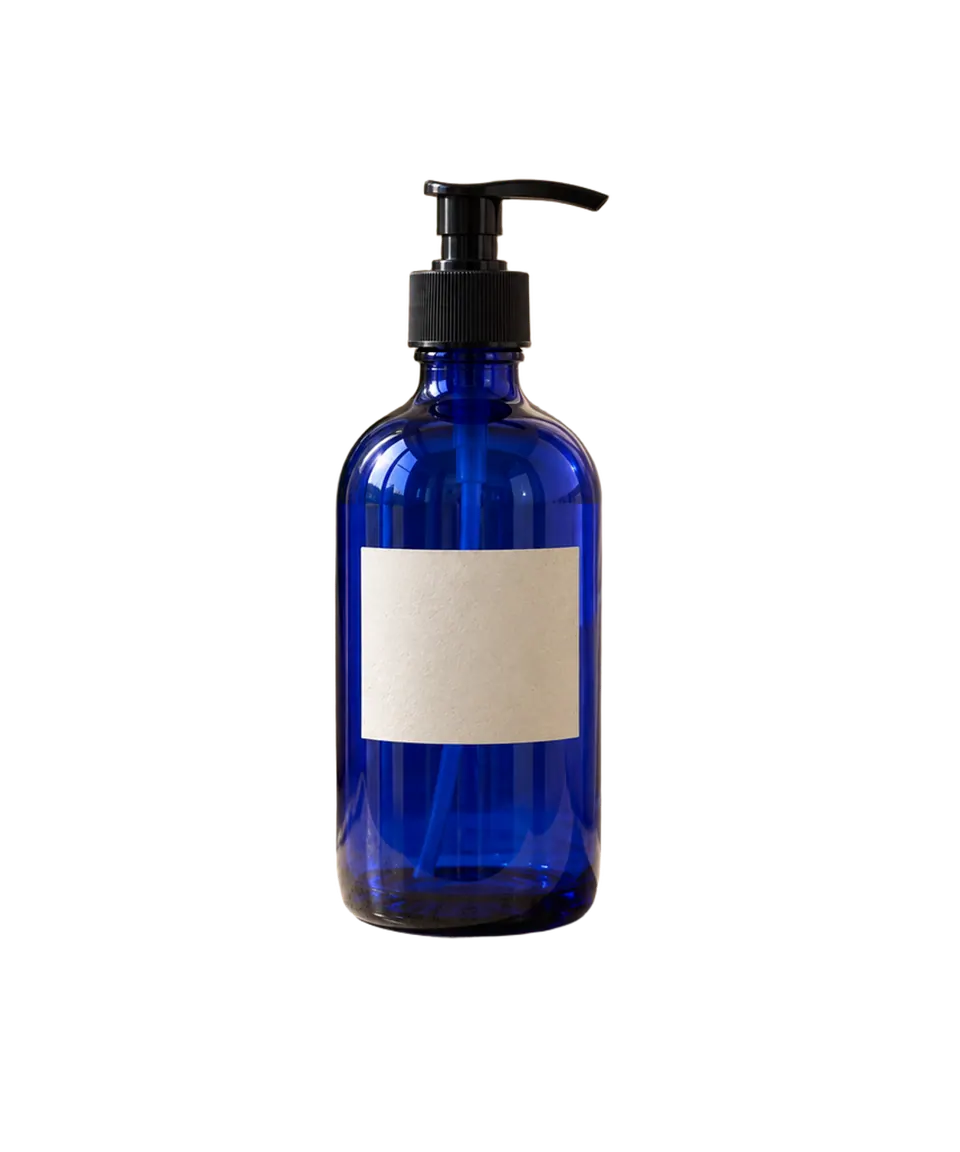
A glossy blue bottle with highlights and a hard product silhouette.

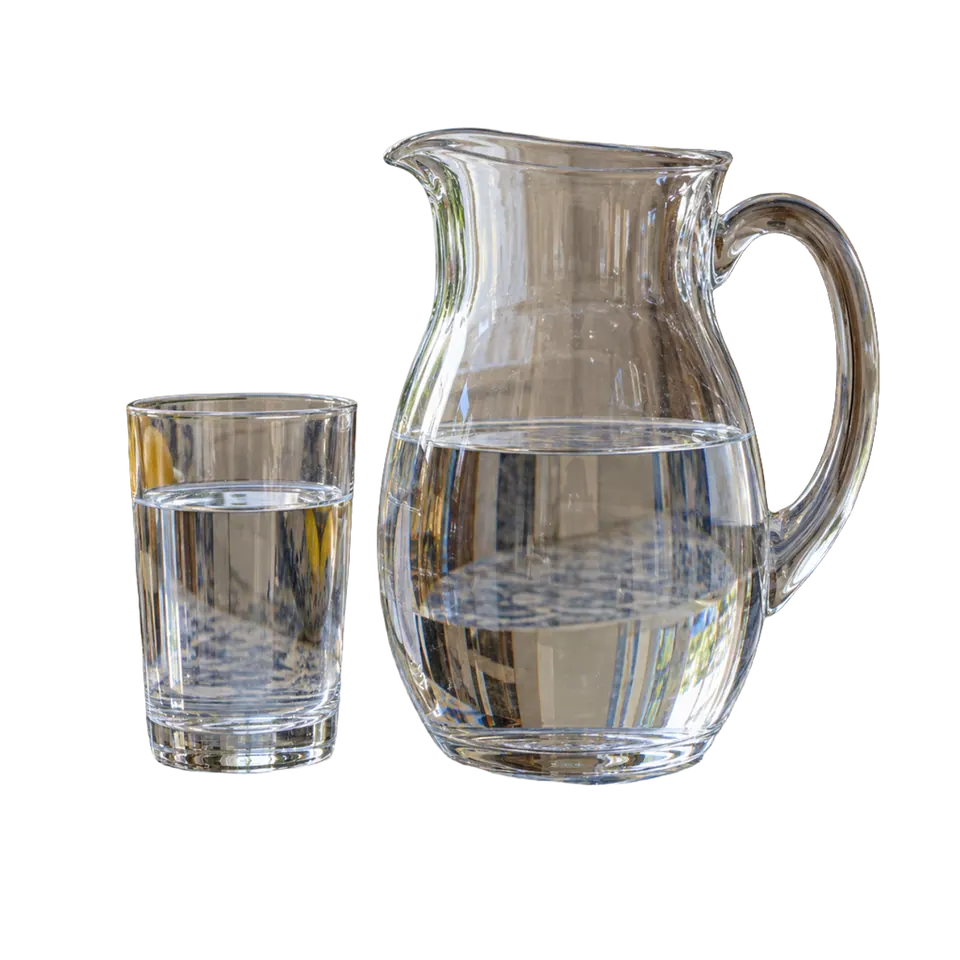
A clear pitcher and tumbler whose photographed background remains visible through transparent material and water.

After the cutout
Choose the finished outcome you need. Every destination below is available now and has its own workflow.
Official migration facts
This is context for your decision—not a reason to stop working. Facts were last checked .
If you used the API
Stable Diffusion AI does not currently offer a public remove.bg-compatible API. Leonardo requires a new account and key, Bearer authentication, a JSON request, different response handling, and a review of storage defaults.
See the full API migration guide →If you used a plugin or integration
Accounts, credits, and saved work
Stable Diffusion AI cannot import a remove.bg subscription, PAYG balance, API key, saved images, or account history. The current product provides daily free credits. They are separate from remove.bg credits and do not transfer.
The remove.bg pricing page says credits expire . Resolve refunds, billing, exports, and account-data requests with remove.bg before the transition; download work you need to keep.
Questions
Official migration answers reflect documentation checked September 27, 2026. Product answers reflect workflows available on this site now.
Yes for the currently available web workflows, subject to current usage limits. You can try single-image background removal as a guest, keep transparent output, and use the available continuation tools without buying a remove.bg subscription.
remove.bg plans to move its web background-removal experience to Canva on December 1, 2026, while API users are being directed to Leonardo.Ai. The official notice names the date but does not give a specific switching hour.
Canva is the planned web destination. Stable Diffusion AI is an independent alternative for single-image removal, browser batches, transparent and finished outputs, and continued editing.
Leonardo.Ai is the official API destination. Existing remove.bg credentials do not carry over, and the endpoint, authentication, body, response, storage default, formats, and standard rate limit differ.
The current Bulk Background Remover processes up to 20 files with per-image status, retry for failed files, shared output settings, filename preservation, individual downloads, and ZIP download. Successful results are saved privately in Creations when you're signed in. It is a browser batch, not unattended automation.
Yes, within current guest usage limits. When you're signed in, saved results are available in Creations across devices. Guest recent items stay in this browser unless you save them to your account.
No. Stable Diffusion AI is an independent product with a separate account and daily free credits. It cannot import a remove.bg balance, subscription, key, saved files, or account history. The remove.bg pricing page says credits expire December 1, 2026 at 9:00 AM CET; contact remove.bg for billing and account-data questions.
Yes. Continue to a transparent, white, or product workflow; open the Photo Editor for background replacement or another focused change; or use Image to Image for a broader transformation.
Ready to keep working?
Already have a cutout? Make it white, prepare a product image, replace the background, or keep transforming it.