
Current-product comparison · checked September 26, 2026

Searching for a DALL·E alternative now means comparing with ChatGPT Images.

OpenAI has retired the official DALL·E GPT from ChatGPT. Its current image experience is ChatGPT Images, where creation and editing happen through conversation, image upload, optional area selection, and repeated instructions. Stable Diffusion AI is different: it gives you separate generator, Image to Image, Photo Editor, and background tools instead of a conversational workspace.

Try this workflow

Generate without leaving the comparison

Write the result you need, choose a ratio, and run it below. You can revise the prompt, retry, download, transform the result, or open it in Photo Editor. This is the current product experience; it is not a DALL·E endpoint and does not promise the same output style or instruction following.

Create an image from text

0/1000

Visual style

20 styles

Choose a visual style

All previews use the same scene so you can compare the look. Choosing one keeps your description unchanged.

The reference shows a look; your own image is generated from your description.

Choose a shape
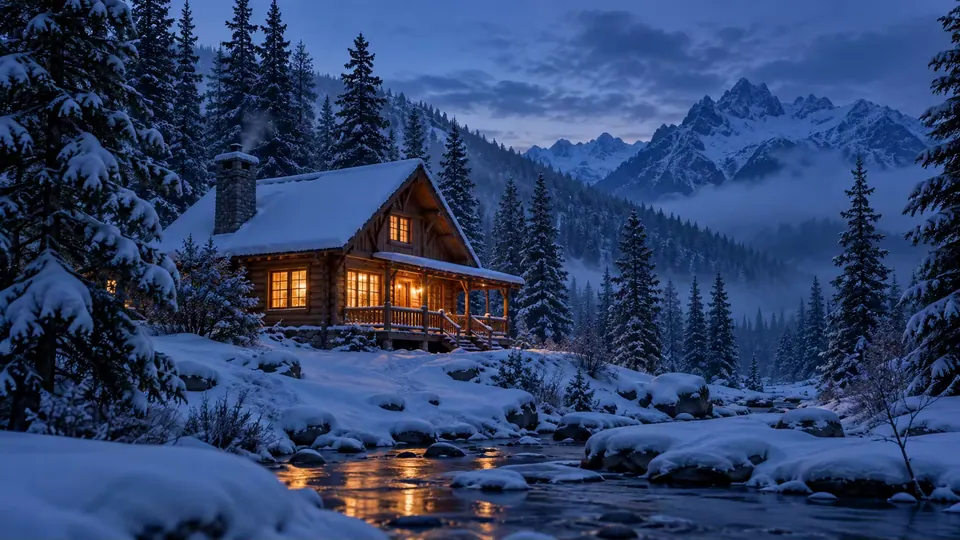
A warmly lit wooden cabin in a snowy mountain forest at blue hour

Image preview

Example

Prompt inspiration

Start with a scene, make it yours

A small wooden cabin in fresh snow at blue hour, warm light through the windows, pine forest, wide cinematic composition

Need help shaping your prompt?

Visual direction workbench

Shape the image before you generate

Write a rough idea. Review the suggestions, correct what matters, and keep the final wording your own.

0/600

Choose by task

Where each experience has a clearer advantage

Turn an idea into an image

ChatGPT Images

Describe the image in conversation; follow-up questions and later messages can refine the direction.

Stable Diffusion AI

Write one visible prompt, choose an aspect ratio, generate, review, and revise the prompt directly.

Edit an existing image

ChatGPT Images

Upload an image, describe changes, and optionally select an area before continuing the conversation.

Stable Diffusion AI

Use Image to Image for a broader transformation or Photo Editor for a focused instruction with before-and-after review.

Create text-heavy graphics

ChatGPT Images

Current documentation highlights adding text and offers image templates in supported contexts.

Stable Diffusion AI

Use the generator for visual concepts, but plan to verify or typeset important words separately.

Continue after the result

ChatGPT Images

Keep editing through the same conversation and save from the image experience.

Stable Diffusion AI

Download, transform, edit, save eligible results in Creations, or move into a purpose-built background workflow.

Choose ChatGPT Images for conversational art direction

Its current help documentation describes generating in a conversation, uploading an image, asking for changes, selecting part of an image, adjusting aspect ratio, and continuing to revise through chat. That makes it the natural choice when the back-and-forth reasoning and remembered conversation are part of the job.

Availability and tier-specific options can change; check OpenAI’s current help page before planning a production workflow.

Choose this site for a visible, task-specific path

The generator keeps the prompt and ratio visible. Image to Image separates a source image from the transformation direction. Photo Editor separates what to change, where it is, and what to preserve. Purpose-built background tools add transparent PNG, white canvas, product layout, headshot, car, or bulk outcomes.

Honest limits

Do not assume feature parity

Text and layout

ChatGPT Images is documented as able to add text and follow template-like instructions. This site can generate poster or logo concepts, but generated lettering, labels, and exact layout still require close review and may need a design tool afterward.

Precise local edits

ChatGPT offers an area-selection editor. Photo Editor here uses written location and preservation instructions without a pixel mask, so a change can extend beyond the intended area.

Official source

Check the current ChatGPT image workflow

OpenAI’s help page is the source for the present ChatGPT Images experience and explicitly notes that the official DALL·E GPT has been retired. This guide deliberately avoids stale DALL·E 3 pricing, access, or performance claims.

Images in ChatGPT ↗