
Workflow comparison · checked September 26, 2026

Looking for a Midjourney alternative? Start with the workflow you need.

Midjourney now has a mature web Create page, V8.2 generation, personalization, reference inputs, and an editor. Stable Diffusion AI offers a smaller browser workflow: create from a prompt, transform a reference, make a focused photo edit, or remove a background. The useful question is not which name is “best,” but which path gets your image finished with the controls you need.

Midjourney is the stronger fit when…

  • • You want its current visual model and personalization system.
  • • You work with style, image, or Edit Model references inside one creation feed.
  • • You want Midjourney-specific reruns, variations, pan, zoom, inpainting, or outpainting.
Try Stable Diffusion AI when…

  • • You want to start in a simple prompt-and-ratio workspace without a subscription decision first.
  • • You need a separate focused editor, Image to Image workflow, or purpose-built background result.
  • • You want to compare the source and result, refine the instruction, download, and continue from the chosen image.

Use the product, not a promise

Try the current generator on this page

Enter the same concrete brief you would test elsewhere. Choose an aspect ratio, generate, inspect the result, revise the prompt, then download or continue in another image workflow. Usage limits apply, and a signed-in account has a larger allowance.

Create an image from text

0/1000

Visual style

20 styles

Choose a visual style

All previews use the same scene so you can compare the look. Choosing one keeps your description unchanged.

The reference shows a look; your own image is generated from your description.

Choose a shape
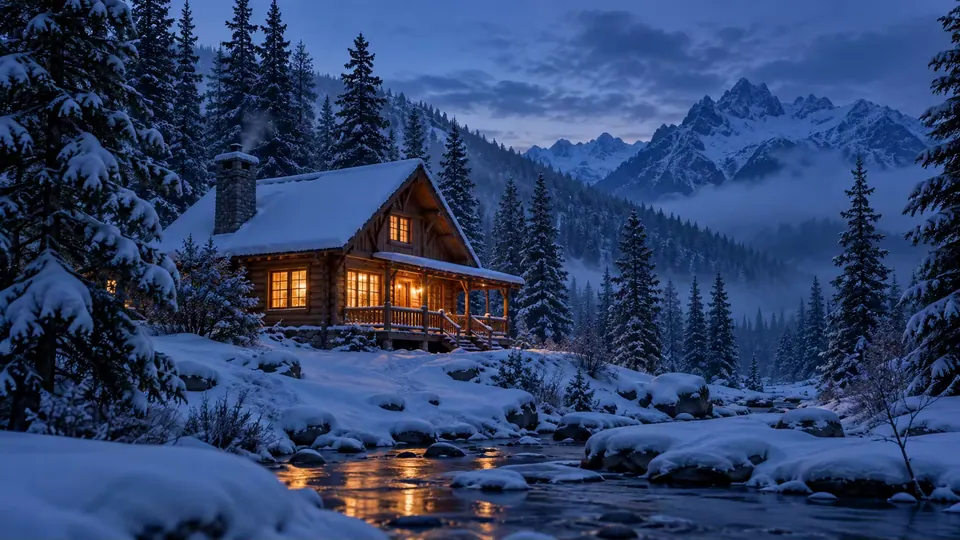
A warmly lit wooden cabin in a snowy mountain forest at blue hour

Image preview

Example

Prompt inspiration

Start with a scene, make it yours

A small wooden cabin in fresh snow at blue hour, warm light through the windows, pine forest, wide cinematic composition

Need help shaping your prompt?

Visual direction workbench

Shape the image before you generate

Write a rough idea. Review the suggestions, correct what matters, and keep the final wording your own.

0/600

What changes in practice

A real comparison of the two workflows

These differences are visible in the current products. They are not output-quality rankings; the only reliable image comparison is your own brief, reviewed against your own criteria.

DecisionMidjourneyStable Diffusion AI
Starting pointCreate on the web with an Imagine bar, model settings, reference inputs, and a creation feed.Write a prompt, choose one of five aspect ratios, generate, then move the chosen result into editing or transformation.
IterationRerun, vary, reuse prompt and images, personalize, and use version-specific creation controls.Revise the visible prompt, retry a failed request, download, remix, transform, or open the result in Photo Editor.
EditingIts web Editor combines Remix, inpainting, Pan, and Zoom Out, with a lighter editor available from the creation feed.Photo Editor uses a focused written request with before-and-after review; it does not offer a pixel mask or the same canvas controls.
Reference workCurrent documentation describes image inputs and V8.2 Edit Model references as part of its workflow.Image to Image accepts a source and transformation direction; Photo Editor handles a narrower change to an uploaded image.
Best reason to choose itYou specifically want Midjourney’s visual system, personalization, or reference and editor controls.You want a simpler browser tool and clear branches for generation, transformation, focused editing, or background outcomes.

Test one brief, not two different prompts

  1. 1. Lock the job. Name the subject, composition, lighting, medium, and non-negotiable details.
  2. 2. Keep the first test portable. Avoid tool-specific commands until you have a baseline.
  3. 3. Judge the same things. Review subject count, layout, anatomy, text, logos, and the details that matter to publication.
  4. 4. Compare iteration cost. Count how many prompt or edit cycles it takes to reach a usable result, not only which first image looks more dramatic.

What this site does not replace

The generator here does not expose Midjourney V8.2, its personalization profiles, moodboards, Style Creator, or the same reference controls. Photo Editor accepts written edit instructions but is not a duplicate of Midjourney’s inpainting and outpainting canvas. If those controls are central to the job, Midjourney remains the more direct choice.

Current sources

Verify the moving parts

Midjourney features change quickly. Before choosing for a long project, confirm the current version and editor behavior in Midjourney’s own documentation. This comparison avoids price claims because plans and allowances can change independently of the creative workflow.