Photo editing prompts

AI Photo Editing Prompts & Before-After Examples

Describe one change. Keep the rest.

See how a focused instruction removes, adds, relights, retouches, restores, or replaces a background. Pick an example to open Photo Editor with the matching task already selected.

Six focused edits

Before → instruction → after

Each comparison shows one edit request and a result. Choose a task to carry its wording into Photo Editor, then upload your own photo and adapt the details.

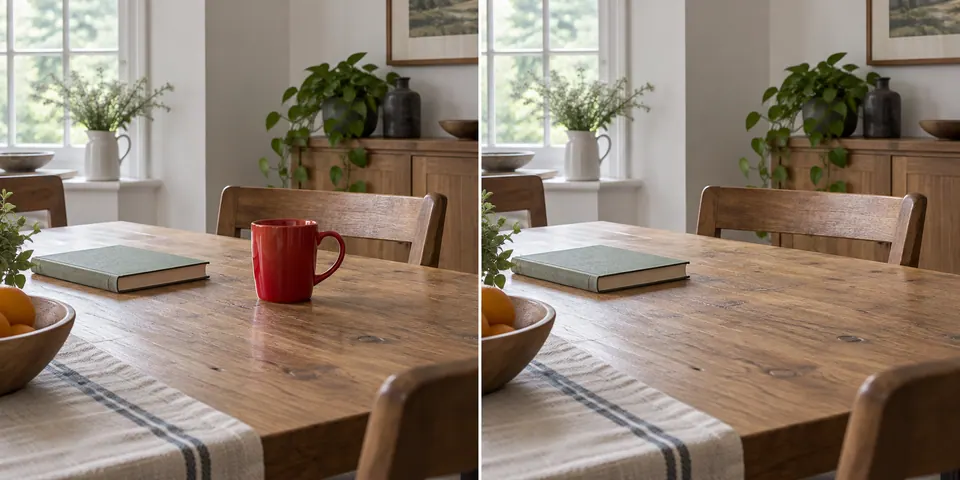
Table before and after removing a red cup
BeforeAfter

01 · Remove

Remove an object

Instruction

“Remove the red cup on the right side of the table. Keep the book, furniture, plants, window, framing, and lighting unchanged.”

When you try it, check whether the tabletop texture and nearby book remain natural where the cup was removed.
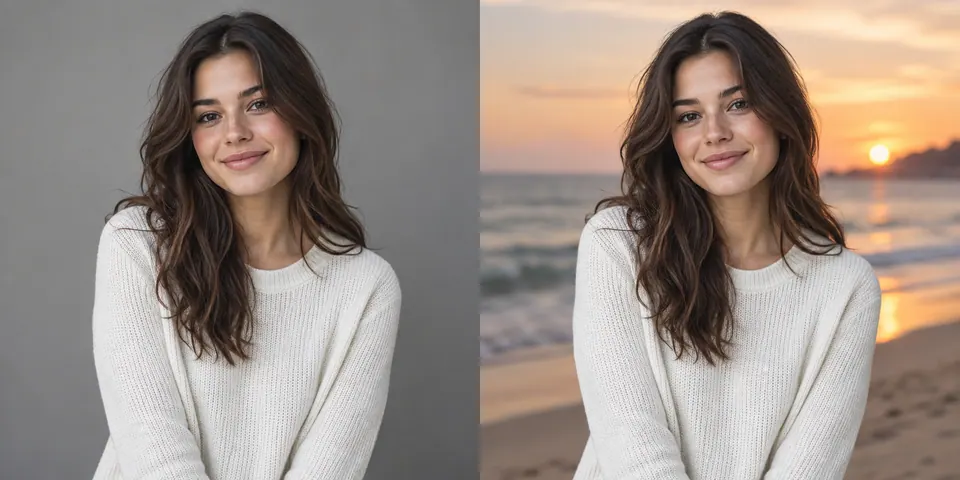
Portrait before and after replacing the studio background with a beach
BeforeAfter

02 · Background

Replace a background

Instruction

“Replace only the gray studio background with a quiet beach at sunset. Keep the person, face, hair, sweater, pose, and framing unchanged.”

When you try it, check hair and clothing edges, skin tone, and whether the new light belongs with the subject.

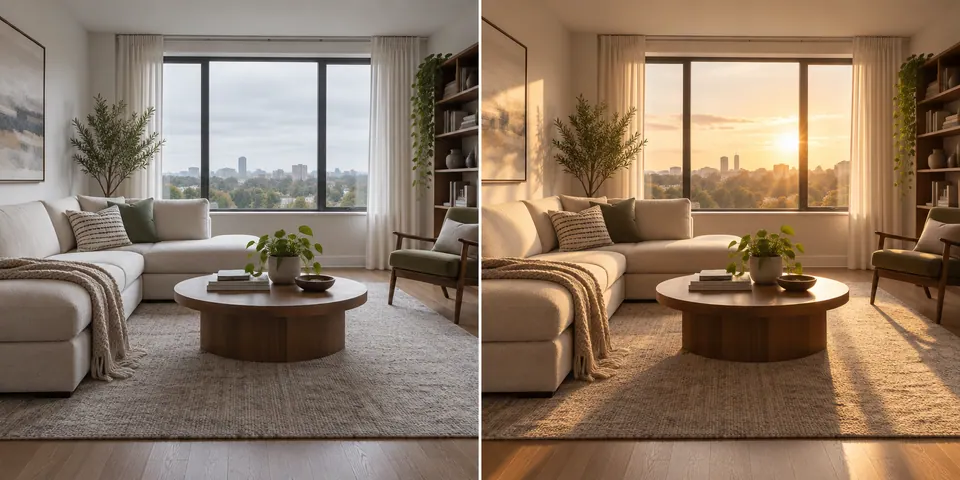
Living room before and after adding warm sunlight
BeforeAfter

03 · Lighting

Change the lighting

Instruction

“Add warm late-afternoon sunlight through the window. Keep the furniture, plants, room layout, camera angle, and framing unchanged.”

When you try it, check whether the new highlights and shadows agree on a light direction and the furniture stays put.

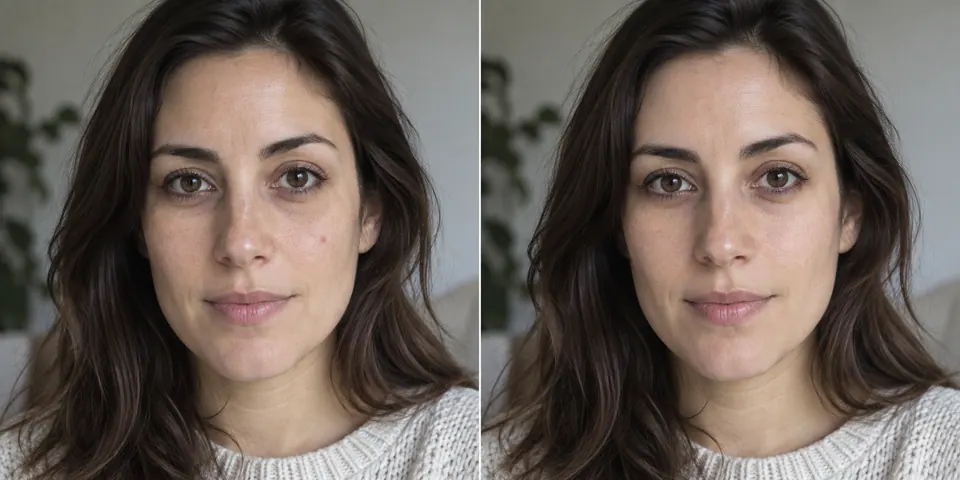
Portrait before and after a subtle retouch
BeforeAfter

04 · Retouch

Retouch a portrait

Instruction

“Slightly reduce the under-eye shadows and remove the small blemish on the right cheek. Keep the face shape, skin texture, expression, hair, lighting, and framing unchanged.”

When you try it, check skin texture, natural shadows, and whether the person's expression or facial features changed.

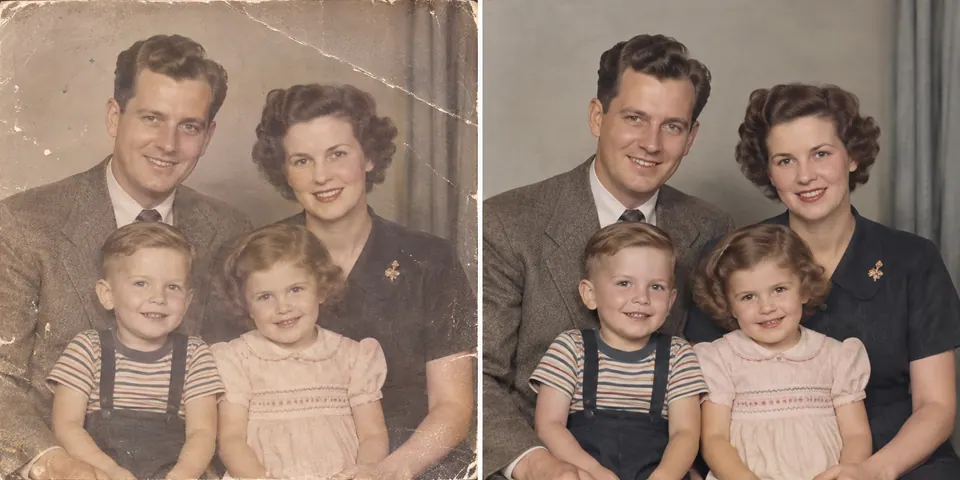
Old family photo before and after generative restoration
BeforeAfter

05 · Restore

Restore an old photo

Instruction

“Repair the scratches and reduce the faded color across this family photo. Keep every face, expression, pose, outfit, period detail, and the original framing unchanged.”

When you try it, check faces, clothing, and period details; generative repair may guess at information the original no longer contains.

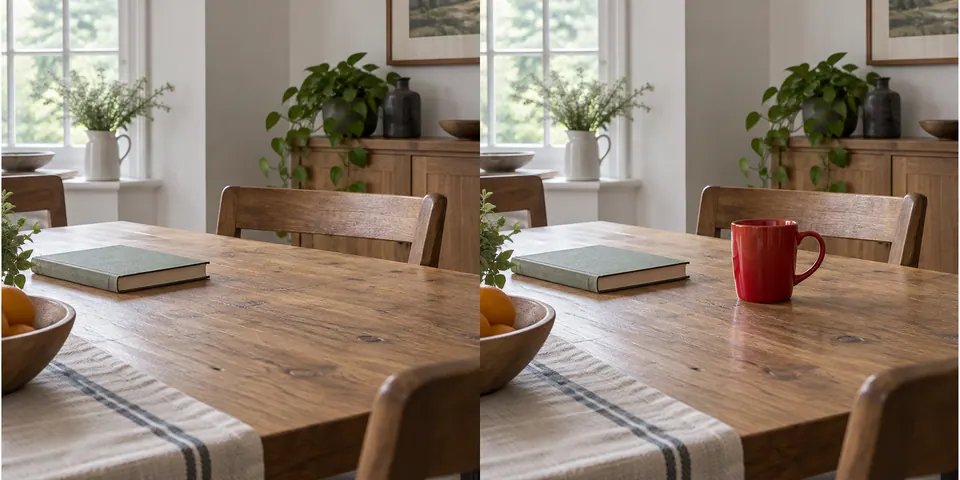
Table before and after adding a red cup
BeforeAfter

06 · Add

Add an object

Instruction

“Add a red ceramic cup in the empty space on the right side of the table. Keep the book, furniture, plants, window, framing, and lighting unchanged.”

When you try it, check the cup's scale, contact shadow, and perspective relative to the rest of the table.

Better editing prompts

Say what, where, and what to keep

What

Name one action and its target: remove a cup, replace a background, soften a shadow, or repair a scratch. Avoid a vague request to “improve” the whole photo.

Where, when needed

The optional location field appears for removal, retouching, and adding objects. Use it to distinguish similar targets, such as the cup on the right side of the table.

What should stay

Name the details you will compare with the original: a person's expression, the product label, furniture, framing, or the direction of light.

Photo editing prompt questions

Should I ask for several edits at once?

One focused change at a time is easier to review. Finish the first edit, keep editing from that result, and then describe the next change.

What if I want to change the whole image?

Use Image to Image for a broader restyle, room redesign, or scene transformation. Photo Editor is better when most of the image is already right.

Will a face or old photo stay perfectly identical?

No. Even a focused prompt can change identity details, skin texture, hair, clothing, or missing historical detail. Review important people closely and keep the original file.

Make the change in your own photo

Open Photo Editor when the source is already right and one part needs to change.

Open AI Photo Editor →