Choose the right image tool

Have an idea, an image, or one thing to change?

Start with what you already have. These three examples show what each tool made and what to check before you choose one for your image.

Text to image

Turn a product idea into an image

We described a fictional amber serum bottle on a stone pedestal with soft studio light. The tool made a clean product-style image, but the label is blank.
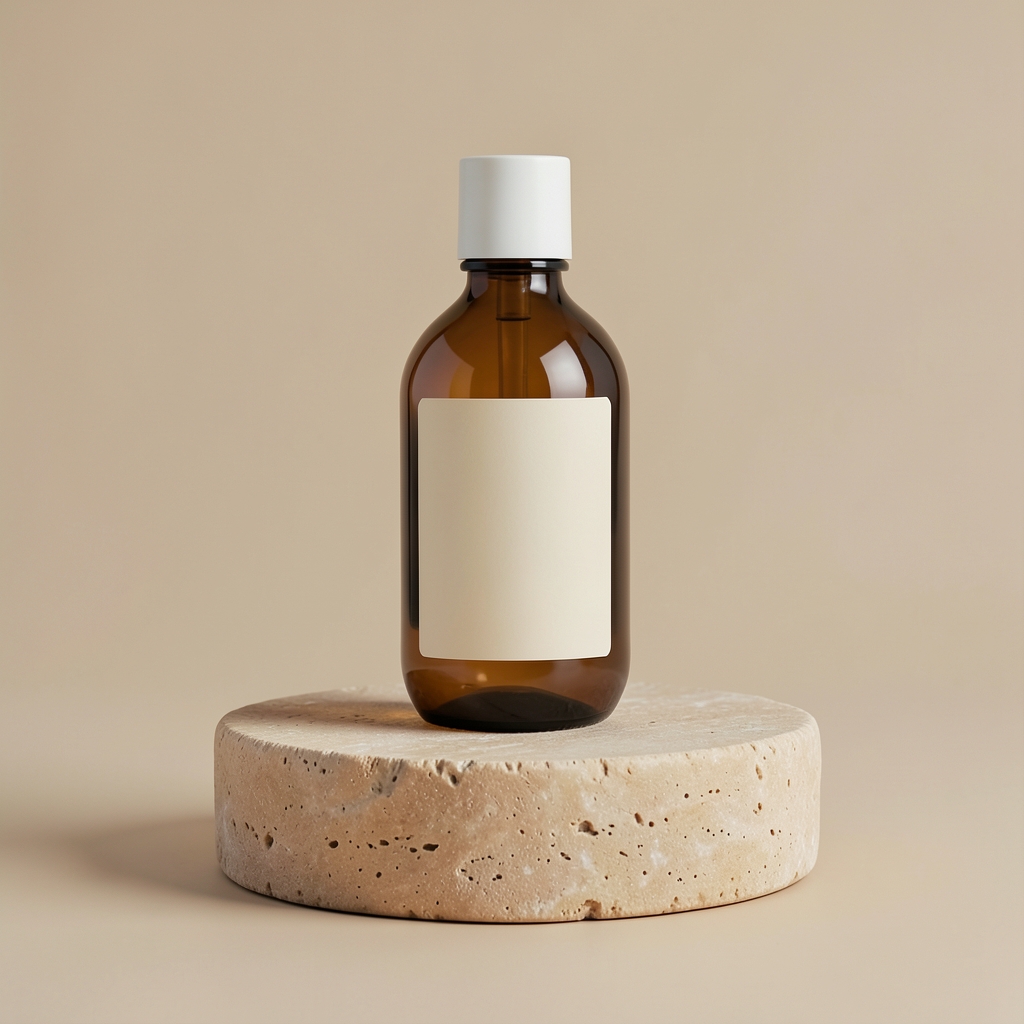
Generated amber skincare bottle on a limestone pedestal against a beige studio backdrop
Result · 1024 × 1024Open image ↗

This one started with text, so there is no before image.

What you can see

There is one bottle, the warm stone pedestal and the simple beige background requested in the prompt. The lighting gives the bottle a soft shadow.

Check before you use it

This is a concept for a made-up product. If you're showing a real item, check its shape, logo and label against a real photo; generation can invent those details.

See the prompt and test details

This is the English instruction used for the pictured result. The job ID and date identify that run.

Prompt used

Commercial product photography of a single sculptural amber glass skincare serum bottle with a minimal cream label, centered on a warm limestone pedestal, large softbox lighting, gentle natural shadow, clean beige studio background, premium catalog image, realistic materials, no extra products, no hands, no floating text.

Job ID: a85a91e7-e1f7-4888-b4a5-d70d9cfb6aa5
Completed: 2026-09-22
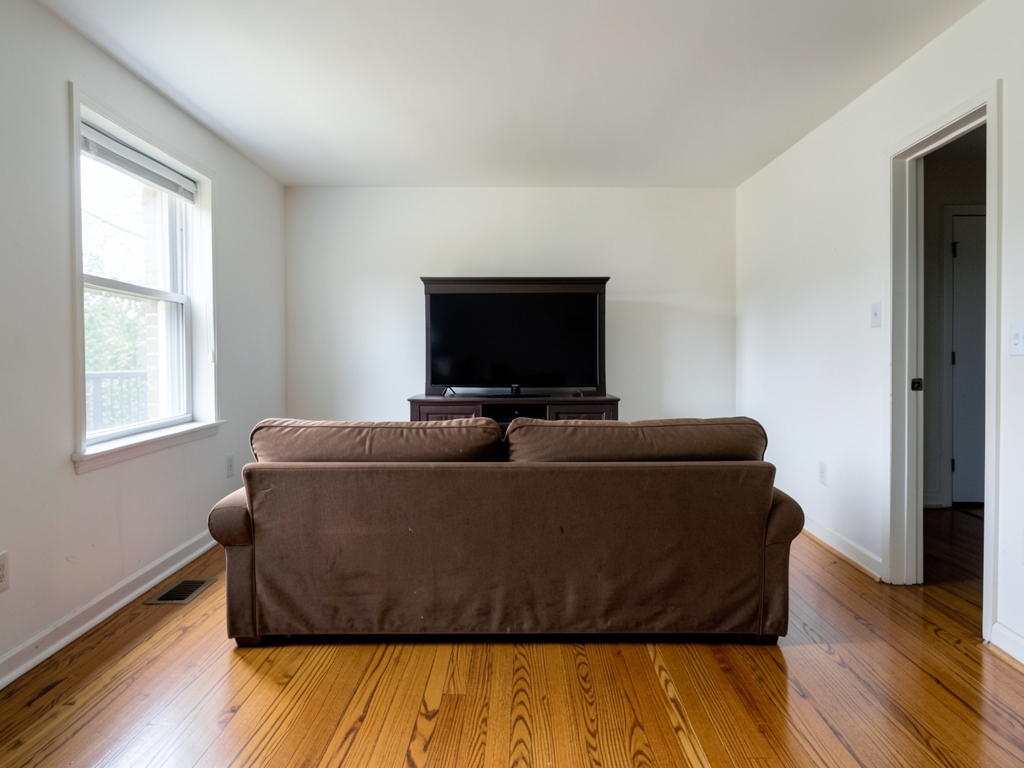
Image to image

Restyle a room from a starting image

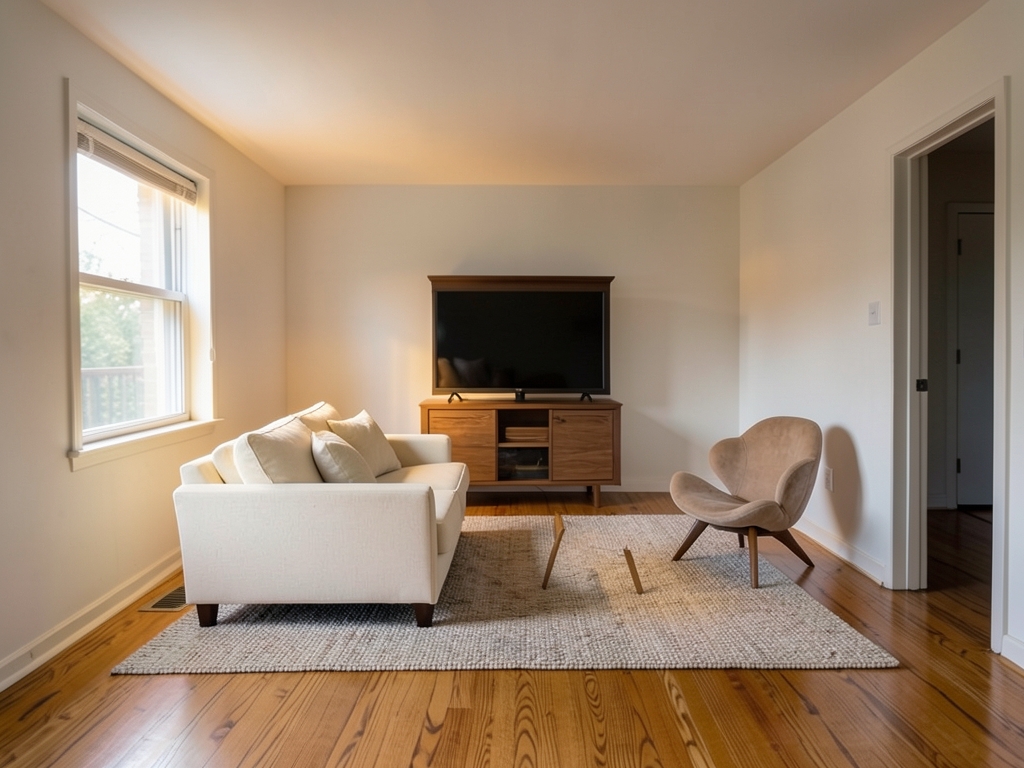
We uploaded a room image and asked for a warmer, simpler look. The window and doorway remain recognizable; the dark sofa becomes a cream one, with a new rug and chair.

AI-generated source image of a dated living room before restyling
Starting image · 1024 × 768Open image ↗
Generated warm minimal redesign of the source living room
Result · 1024 × 768Open image ↗

What you can see

The room is recognizably based on the starting image, while the furniture, lighting and arrangement change. The sofa moves to the left side of the frame.

Check before you use it

The starting room was also AI-generated. Treat the result as a visual concept: furniture and room details may shift, so don't use it as a measured renovation plan.

See the prompt and test details

This is the English instruction used for the pictured result. The job ID and date identify that run.

Prompt used

Redesign this same living room in a warm minimal style. Preserve the exact camera angle, window and doorway locations, wall and ceiling boundaries, floor footprint, and room proportions. Replace the movable furniture and decor with a low cream sofa, slim oak media console, textured neutral rug, one sculptural chair, warm layered lighting, and a restrained natural palette. Photorealistic interior design concept, no people, no text.

Job ID: 629340f8-94fc-4cbc-add1-845fccc81716
Completed: 2026-09-23

Photo editor

Add afternoon light to a room

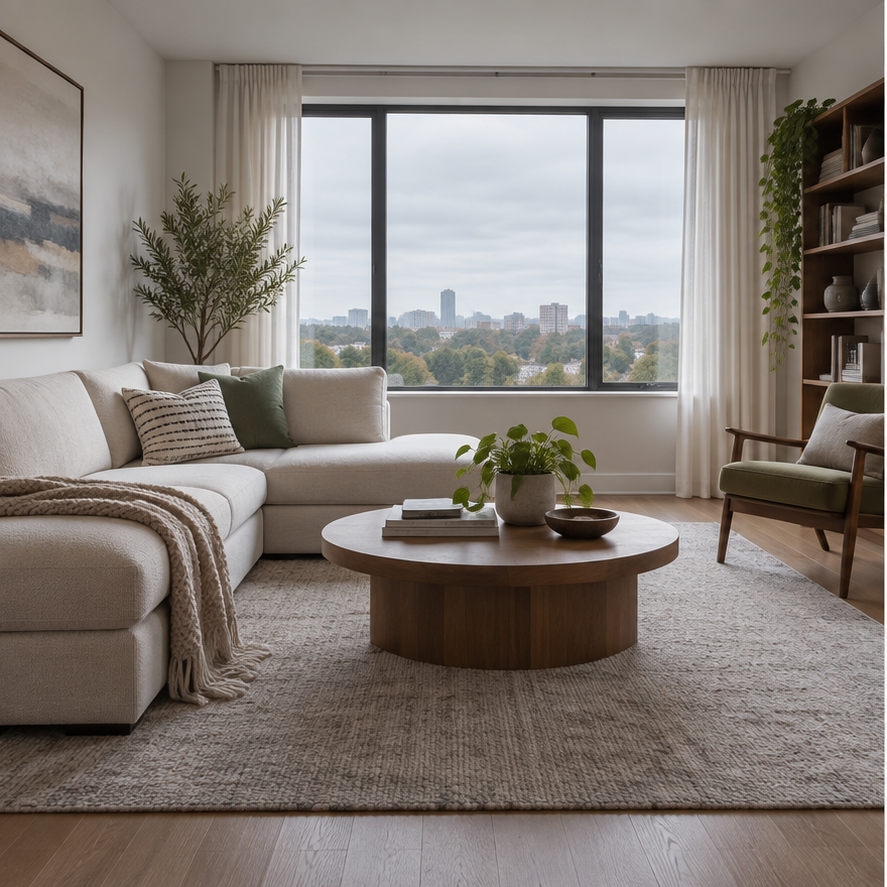
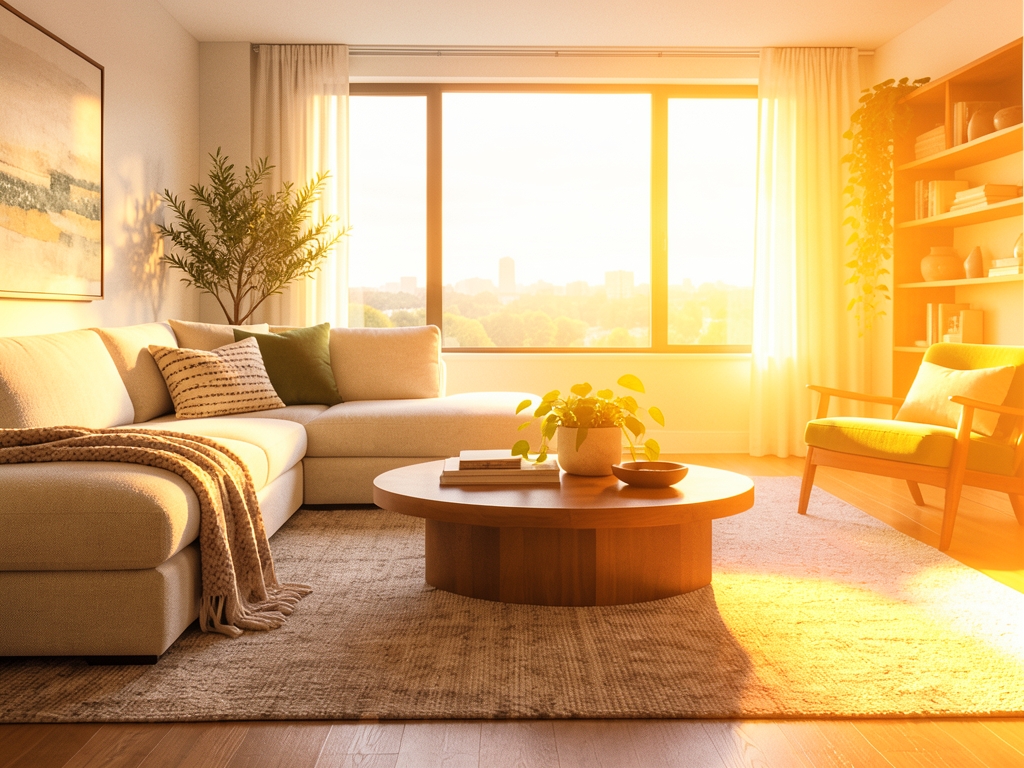
We asked the editor to bring warm sunlight through the window while keeping the room familiar. It adds the light, but the square source becomes a landscape result.

Living room source image under neutral daylight
Starting image · 887 × 887Open image ↗
Edited living room with warm sunlight through the window
Result · 1024 × 768Open image ↗

What you can see

Sunlight and shadows now fill the room. The sofa, table, plants and window are still recognizable when you compare the two images.

Check before you use it

The editor regenerated the scene and changed the framing from square to landscape. If exact furniture details or framing matter, compare your result closely before using it.

See the prompt and test details

This is the English instruction used for the pictured result. The job ID and date identify that run.

Prompt used

Change only the lighting: add warm late-afternoon sunlight through the window. Keep the furniture, plants, room layout, camera angle, and framing unchanged.

Job ID: fbfe55db-a380-4532-ba5e-2fa240e61899
Completed: 2026-09-23

Another common task

Want to remove a background?

See 14 before-and-after examples, including cutouts with hair, glass and other tricky edges. The results are shown on light and dark backgrounds so you can judge the edges yourself.

See background removal examples →

Where these examples came from

Each example is one recorded run of this site's tool. We published the output without retouching it. Open the images to see the files themselves; the original English instruction, job ID and date are under each example. One result shows what happened that time, not what every upload will produce.